Chapter 4: SURFboard Central mobile app features
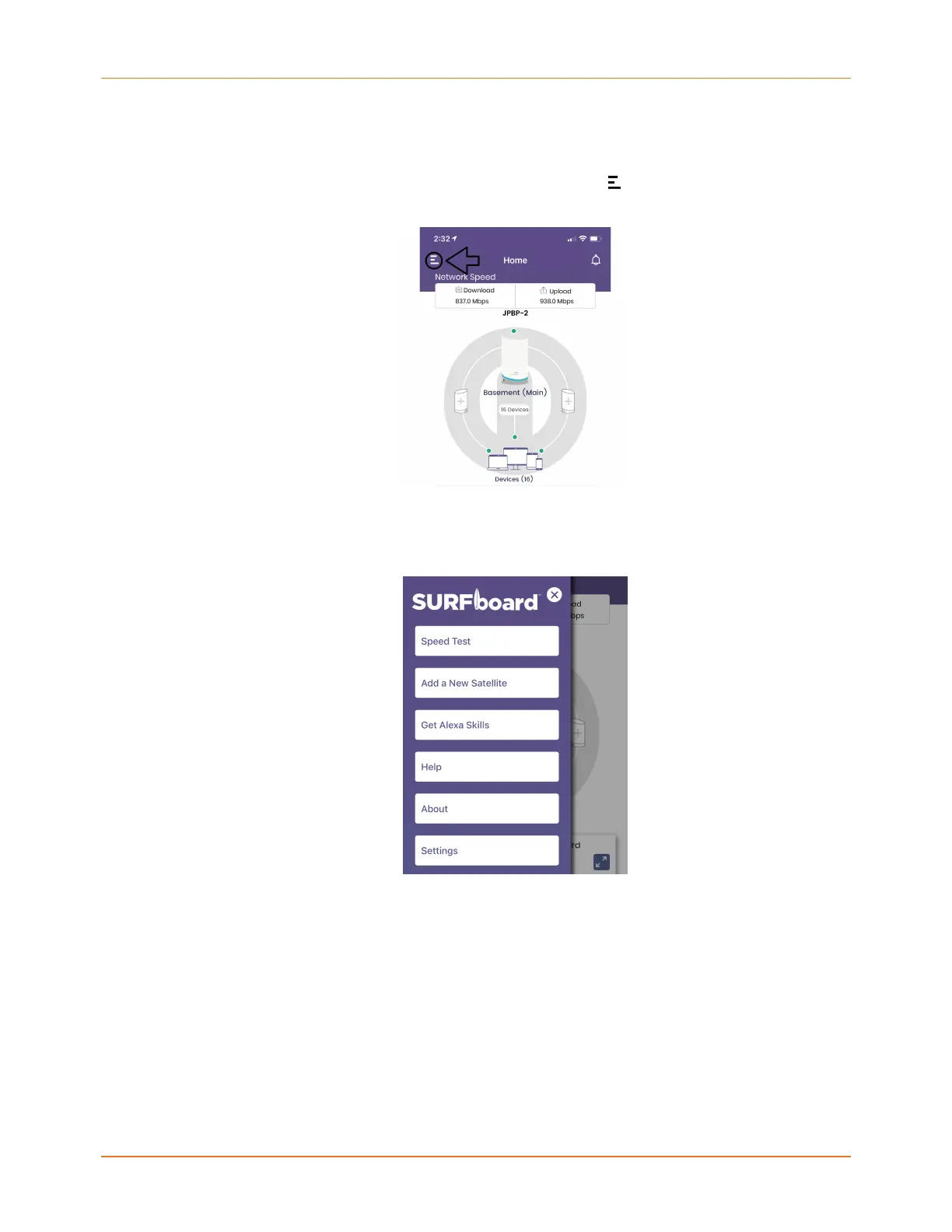
Side Menu
Access the Side menu by tapping the Collapsed menu icon at the top, left-hand corner of
the Home screen.
The Side menu has 6 buttons from which you can perform a Speed Test, Add a New
Satellite, Get Alexa Skills, get Help, learn more About the versions and licensing, and view
your account Settings.
Related information
Speed Test (page 39)
Adding a SURFboard mAX satellite (page 22)
Get Alexa Skills (page 49)
Help (page 49)
About (page 49)
Settings (page 49)
SURFboard mAX User Guide Standard Revision x.1 47











 To Next Page