Chapter 4: SURFboard Central mobile app features
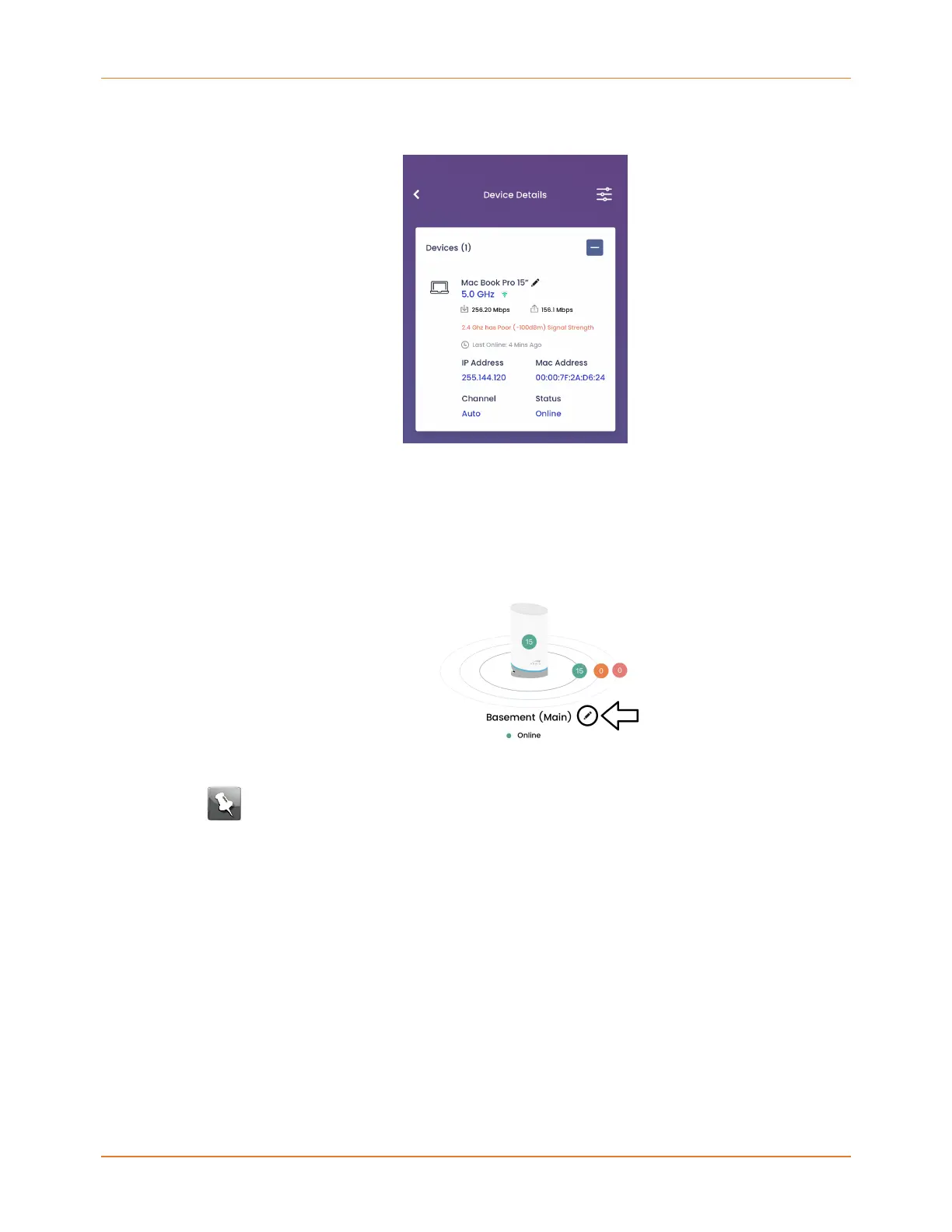
edit the device name, view UL and DL speeds and the connection (5.0 or 2.4 GHz), the last
network access time, if it is currently online or offline, and addresses.
Edit name for mAX and devices
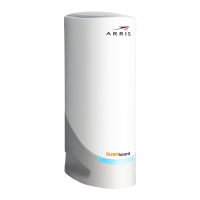
You can change the name of your mAX router, satellite(s), and connected devices as much
and as often as you like.
1. Tap the pencil next to a router, satellite, or connected device image/name.
2. Enter a name for the router, satelite, or device.
Note: Names for your devices must not end in a space.
3. Optional: Assign a device type icon to a device by selecting the pull-down and tapping
the desired icon.
4. Tap SAVE CHANGES.
Adjust LED brightness level
1. On the router or satellite details screen, tap the + to expand the LED Settings section.
2. Use the slider to choose the brightness of the unit's LED. Move to the left to dim and to
the right to brighten.
SURFboard mAX User Guide Standard Revision x.1 30











 To Next Page