Chapter 3: Adding a SURFboard mAX satellite
Set up your SURFboard mAX satellite
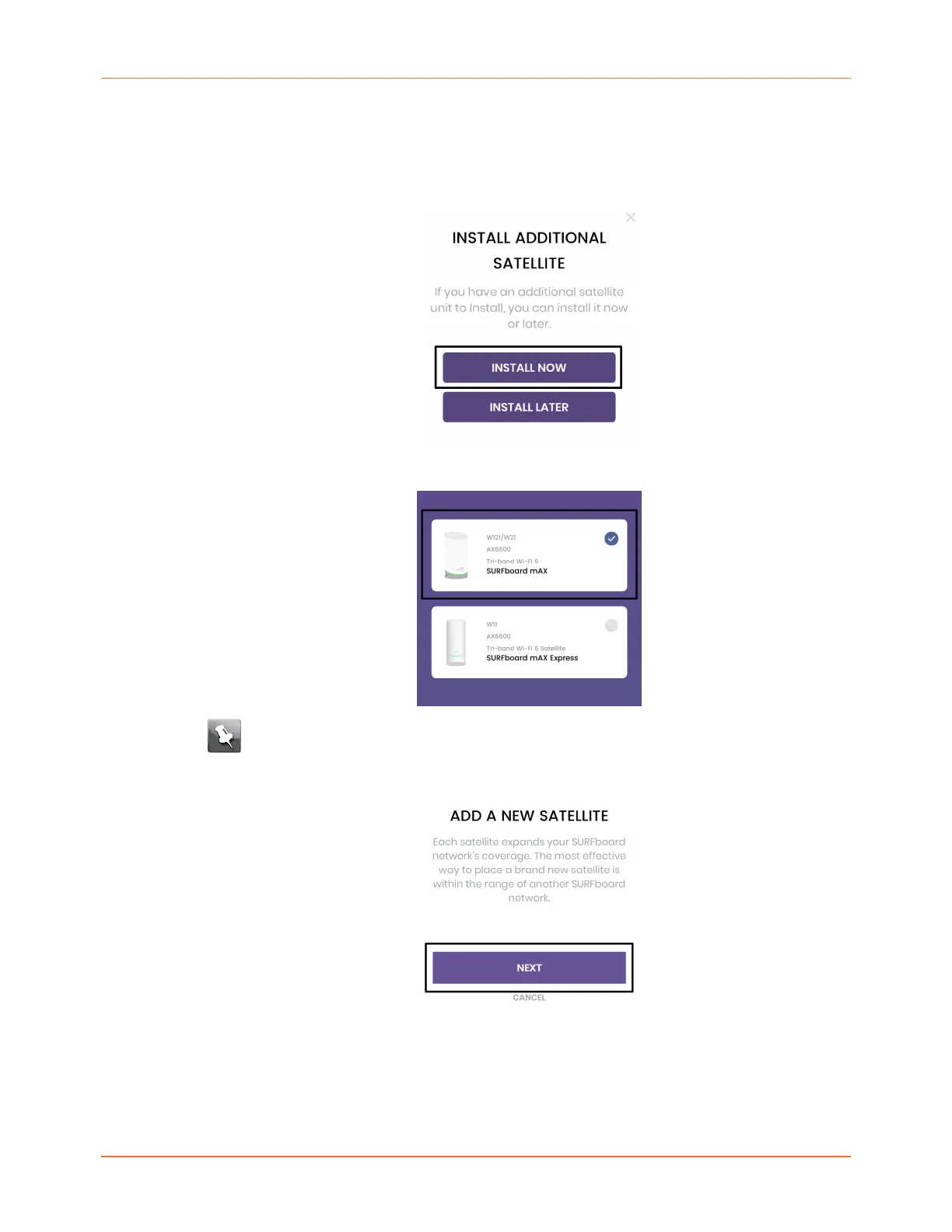
1. Tap INSTALL NOW to add an additional satellite to your mAX home Wi-Fi network.
2. On the SELECT YOUR DEVICE screen, select the W121/W21 device and tap NEXT.
Note: The SURFboard mAX Express (W11) is coming soon.
3. Read the explanation of satellites on the ADD A NEW SATELLITE screen and tap NEXT.
4. From the box your mAX satellite came in, locate the additional mAX unit and power cord
and then tap NEXT.
SURFboard mAX User Guide Standard Revision x.1 23











 To Next Page