Chapter 4: SURFboard Central mobile app features
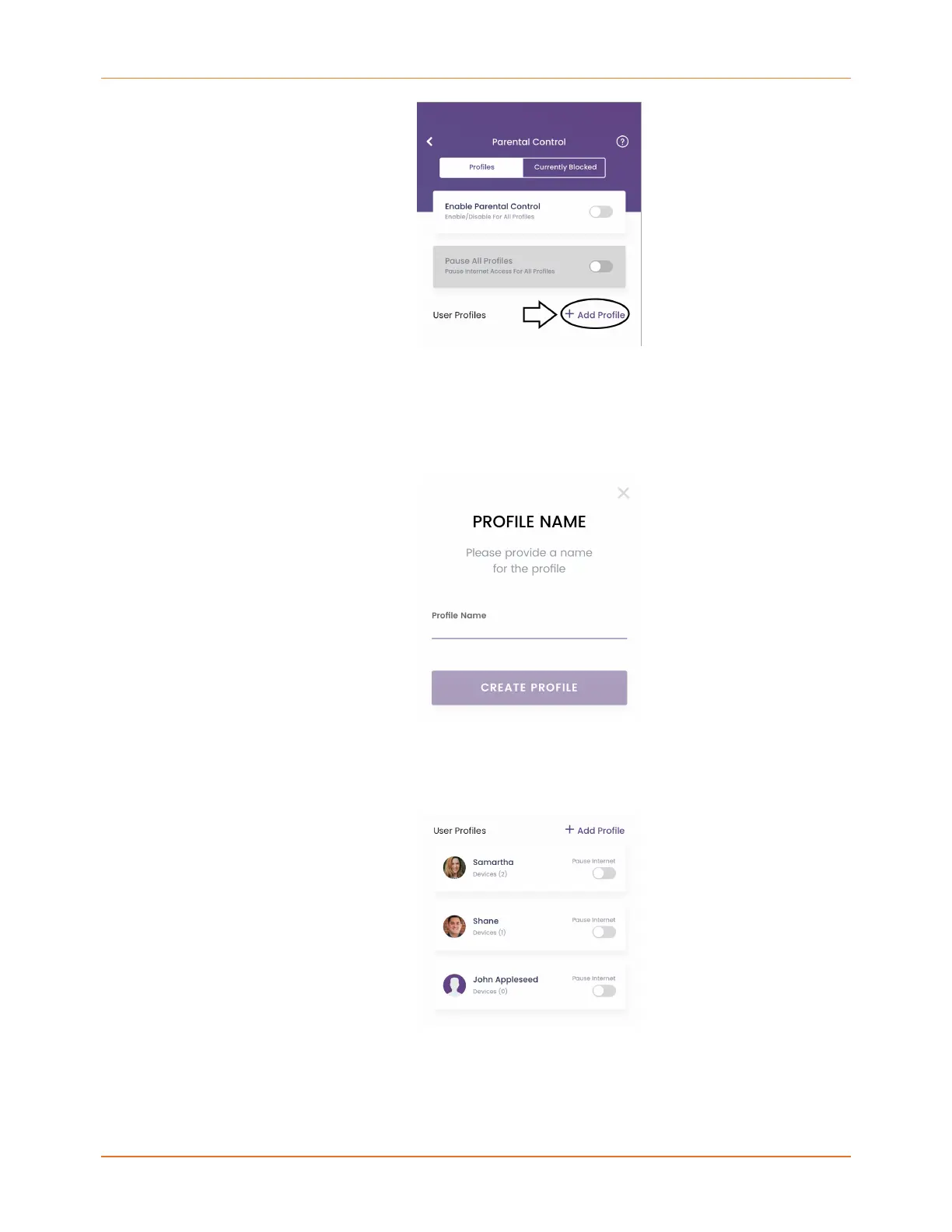
2. On the PROFILE NAME screen, enter a name for the profile. This could be an individual's
name or an event like Dinner Time, for example. The profile will be the vehicle you use
to control Internet access for all of its associated devices, whether a person or an event.
You will get an error if you choose a profile name that already exists in your network.
Profile names must be unique.
3. Tap CREATE PROFILE.
4. Repeat these steps to create all user profiles. User profiles are listed on the Parental
Control screen.
SURFboard mAX User Guide Standard Revision x.1 42












 To Next Page