ARTEX/ACR Electronics, Inc.
A3-06-2824 Handheld Programmer Operations Manual
Y1-03-0272 Rev. F Company Confidential Page 8
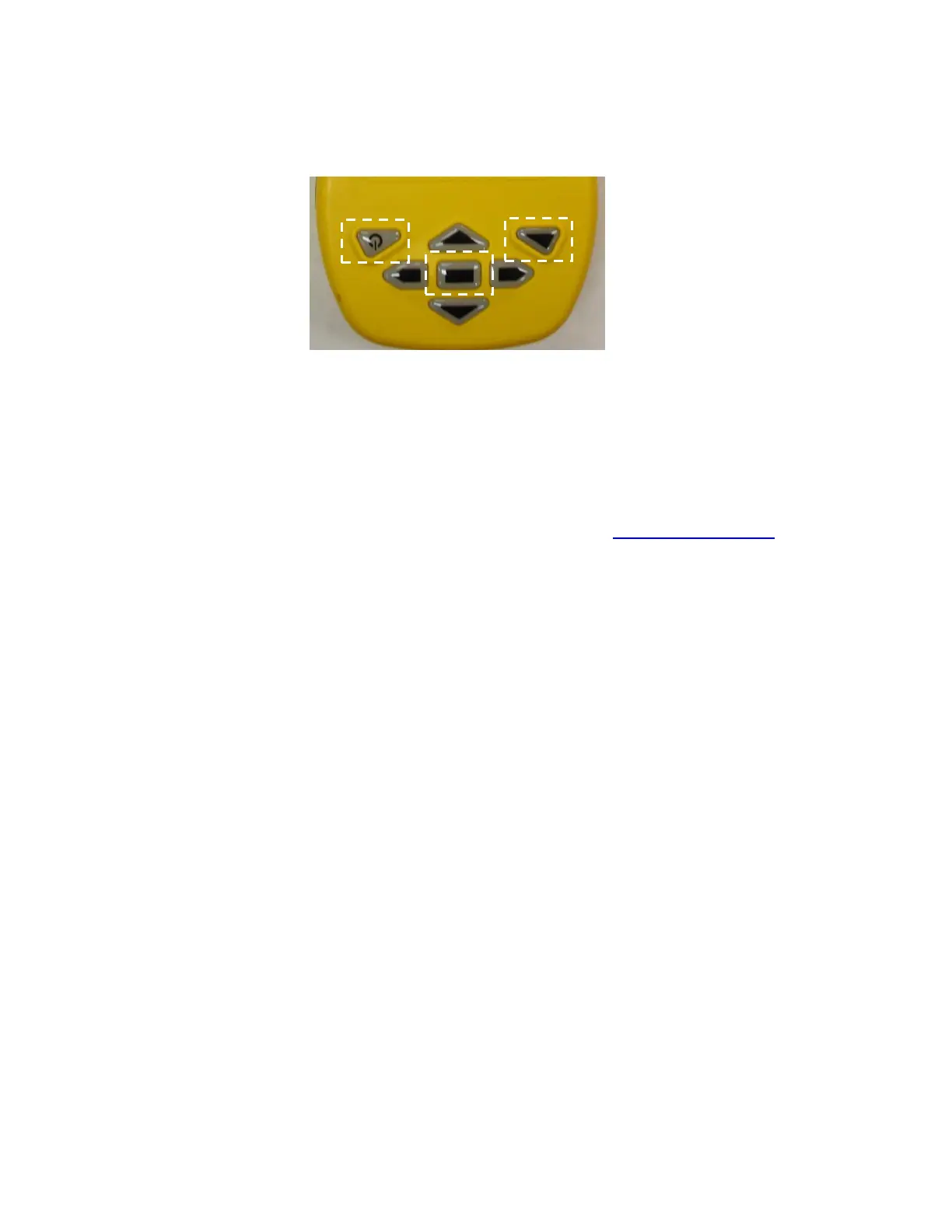
The Meazura MEZ1500 is controlled with the buttons shown in Figure 3.
Figure 3: Controls
• The Power button is used to turn the unit off and on and, when pressed with the
Backlight button, for reset functions described later in this manual.
• Center button usage is discussed in detail later in the manual. The Arrow keys are
used for vertical and horizontal scrolling.
• Operation of Palm/Garnet OS
®
functions are described in greater detail in the
Aceeca Meazura MEZ1500 “User’s Guide” (contact support@aceeca.com).
2.2 Battery
The Meazura™ MEZ1500 comes with a custom, rechargeable Lithium Ion battery pack
that can only be purchased from Aceeca or Artex.
2.2.1 Warnings
• Do not heat or throw the battery into a fire.
• Do not use or store the battery close to fire or where the ambient temperature
may be over 60°C.
• Do not put the battery in your pocket or in a bag together with metal objects. Do
not store the battery with such objects.
• Do not short circuit the (+) and (-) terminals with a metal object.
• Do not pierce the battery with a sharp object.
• Do not hit with a hammer, step on, throw, drop, or allow the battery to undergo
any strong shock.
• Do not disassemble or modify the battery.
• Do not solder the battery directly to the terminals.
• Do not use a battery that is severely scarred or deformed.
2.2.2 Storage
Unlike NiCad (Nickel Cadmium) batteries or NiMH (Nickel-metal Hydride) batteries,
lithium-ion batteries should be charged early and often. Never use battery
maintenance software to maintain your battery as this can reduce the life of your
battery. Li-ion batteries should be kept cool. They should not be subjected to freezing
temperatures. Aging will occur much faster at high temperatures and will reduce the



 To Next Page