ARTEX/ACR Electronics, Inc.
A3-06-2824 Handheld Programmer Operations Manual
Y1-03-0272 Rev. F Company Confidential Page 33
4.9 Programming Conclusion
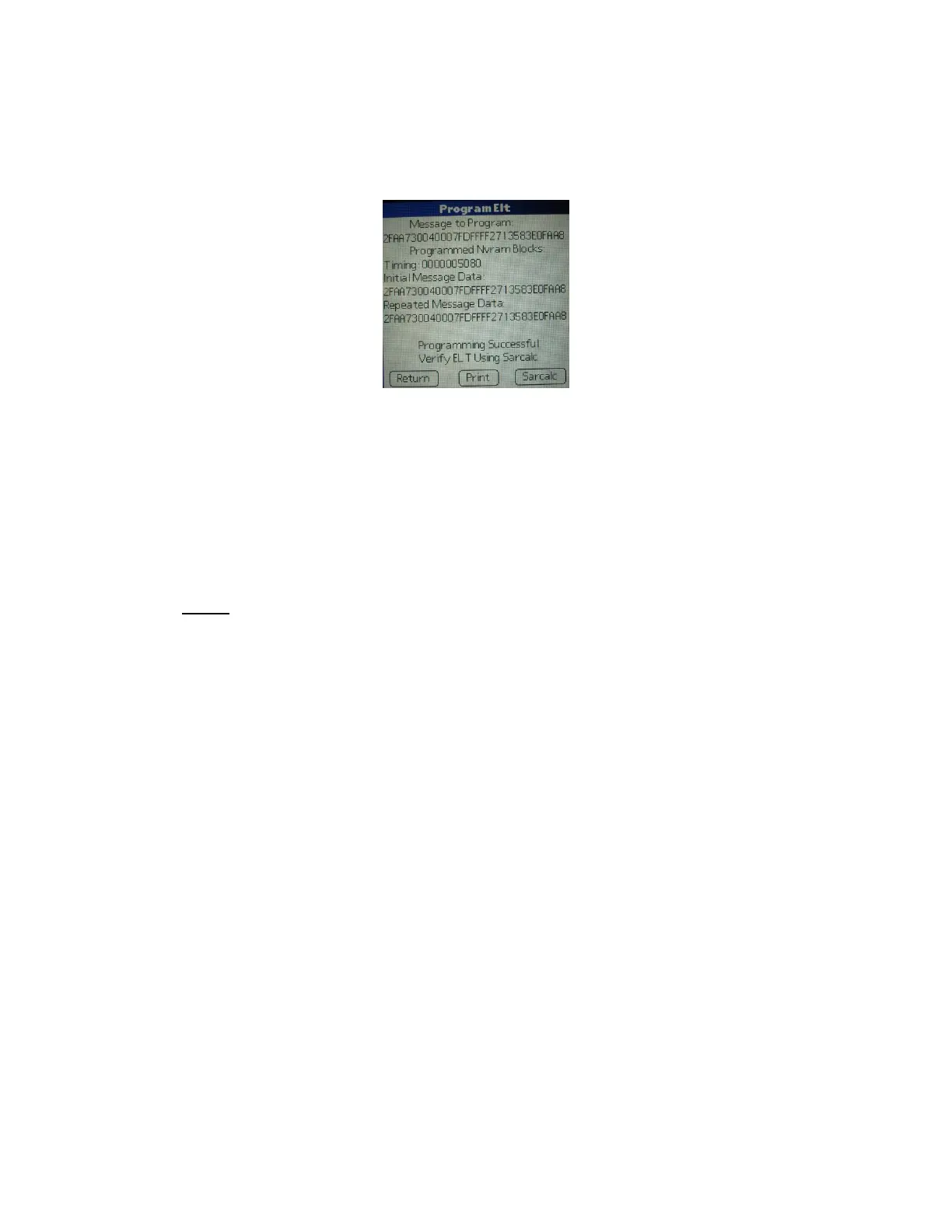
After programming an ELT with any of the protocols listed in Subsection 4.7, the
“Programming Successful” screen will be displayed (Figure 15).
Figure 15: Programming Successful Screen
Proceed to Section 6, Programming Verification. The programming may be printed now,
but it is recommended the ELT be verified first. See Section 7, Label and Report Printing
for printing instructions.
4.10 Battery Data Reader
The Artex programming software provides the means to determine battery usage and
total battery activations.
NOTE: The software routine logs battery life in 30-second increments. A minimum of
30 seconds is added to the battery usage total each time the ELT is activated and de-
activated. If the ELT is left activated beyond the first 30 seconds, additional time is
added in 30-second increments. The ELT 345, ELT 1000, ELT 3000 and ELT 4000
series units count time to the exact second and not 30-second increments. The ELT
345 and the ELT 1000 no longer read number of activations.
Battery usage is given in hours and minutes, plus total number of activations (count) is
also provided. To read the battery data:
1. Tap the Artex icon on the Home screen.
2. Tap the upper left-hand corner of the Artex main screen (Artex ELT Programmer
header) to get the Screens drop-down menu.
3. Select “Read” in the drop-down menu.
4. Tap the “Down” arrow and select “Read Bat”.
5. Select the Baud Rate.
6. For the ELT 345 and ELT 1000, momentarily place the ELT in test position and
release. Immediately follow Step 7. Timing is key.
7. Tap “Read”.



 To Next Page