Arturia MiniBrute User's Manual 40 6 Legal notes
listening through headphones.
4.2.8.6 Master Volume
The Master Volume knob sets the MiniBrute overall output volume, which
fits the standard +4dBu line level. To silence the MiniBrute, turn this knob
fully counter-clockwise.
4.2.8.7 Fine Tune
The Fine Tune knob provides precision adjustment of the oscillator pitch.
The 12 o'clock position corresponds to the default tuning (i.e. A=440Hz)
when you play the second rightmost A of the keyboard and the default
Octave [4.2.8.3] is selected. The full range of the Fine Tuning knob is from
about -2 semitones to +2 semitones. Fine-tuning makes it possible to tune
the MiniBrute to other instruments that are slightly out of tune.
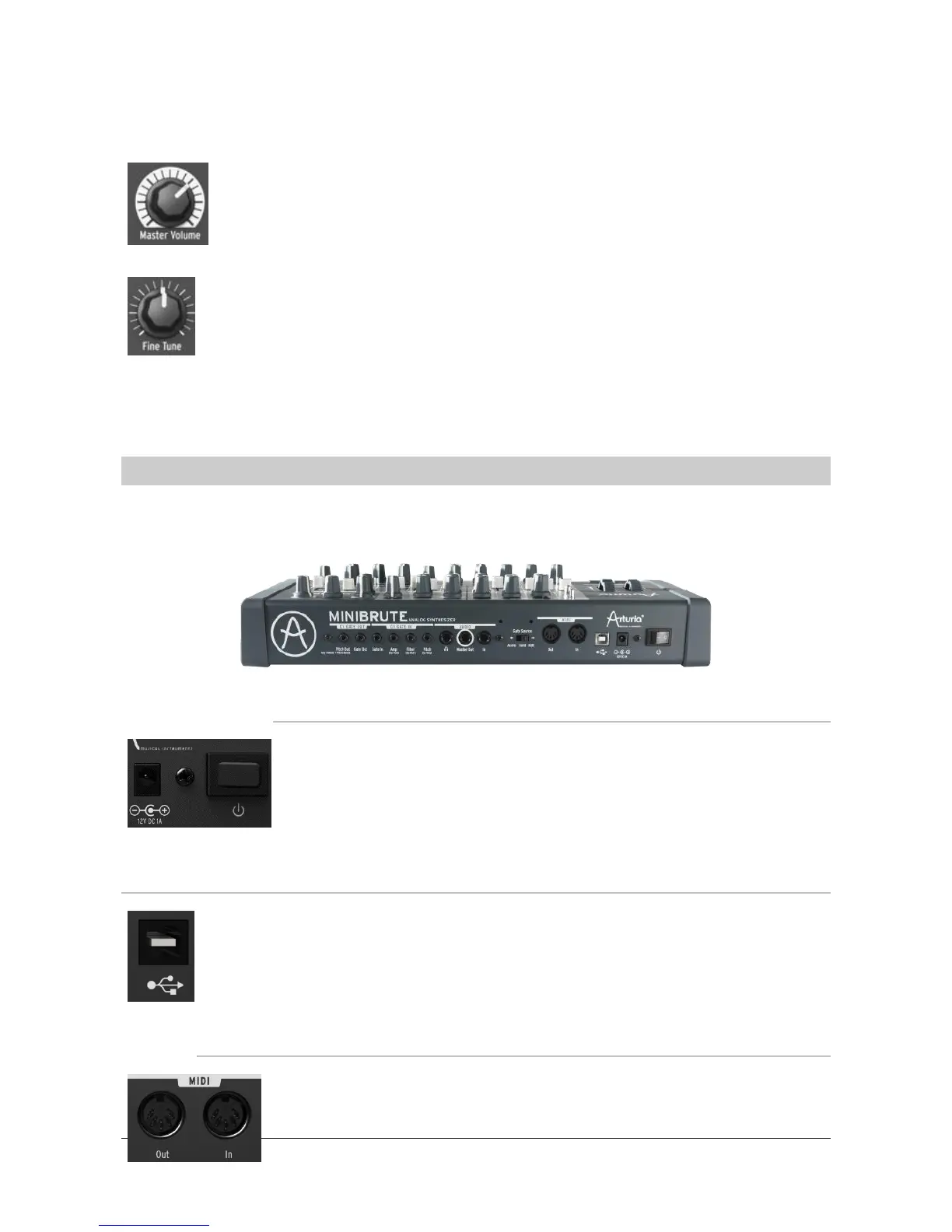
4.3 Rear panel
4.3.1 Power supply
The AC connector receives the MiniBrute’s external power supply
plug. Only connect the adequate power supply: 12V DC, 1A,
center positive.
The Power button turns the power on/off.
4.3.2 USB
The USB outlet interfaces with a personal computer. It can be used for
MIDI communication, as well as editing some of the synthesizer internal
parameters such as MIDI channel or velocity curves, or updating the
arpeggiator firmware, through the MiniBrute Connection software [4.4].
4.3.3 MIDI
The MIDI Out and In jacks let your MiniBrute communicate with














 To Next Page