Arturia MiniBrute User's Manual 43 6 Legal notes
5 USING YOUR MINIBRUTE
5.1 Let's create a basic sound
Let's define a basic, initialized configuration for designing your own sound.
Connect your MiniBrute to an external audio amplifier and power on your
MiniBrute as previously described []. Set the Gate Source switch [] on the MiniBrute
rear panel to the KBD position.
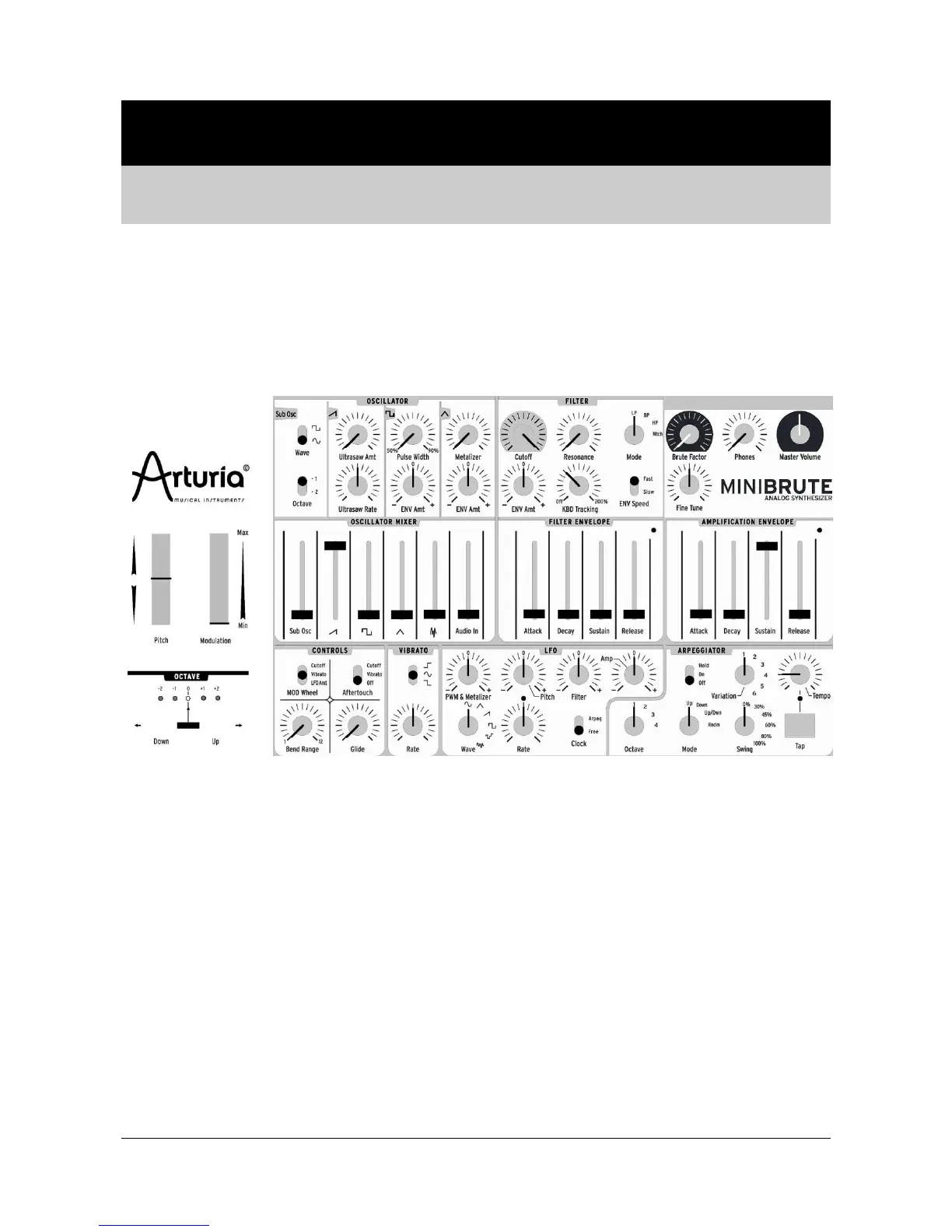
Adjust the sliders and knobs and shown in the following patch view.
Play the keyboard, and you should hear a basic sawtooth sound rich in harmonics.
Next, let's add some animation and life to this flat sawtooth sound. As shown
below, turn the Ultrasaw Amt fully clockwise. This transforms the sound as if there
were two or three slightly detuned oscillators, which creates a slow “beating”
effect where the oscillators interact with each other.
Now turn the Ultrasaw Rate knob fully counter-clockwise; the beating becomes
very slow and creates a slow sweep. Push the OCTAVE Down button once to
obtain very deep, lively brass sounds; next push the OCTAVE Up button once to
return to the default pitch range, turn the Ultrasaw Rate knob fully clockwise, and
you’ll hear cliché house music sounds. The effect is even more pronounced if you
add some vibrato by turning up the Modulation wheel slightly.














 To Next Page