Aruba S2500 Series Mobility Access Switch | Installation Guide S2500 Mobility Access Switch | 11
Power/Status and Stack LED Indicators
In addition to the LEDs on each individual port, there are three additional LEDs on the front panel that
provide overall status of the device. These LEDs provide basic monitoring of the overall status of the S2500.
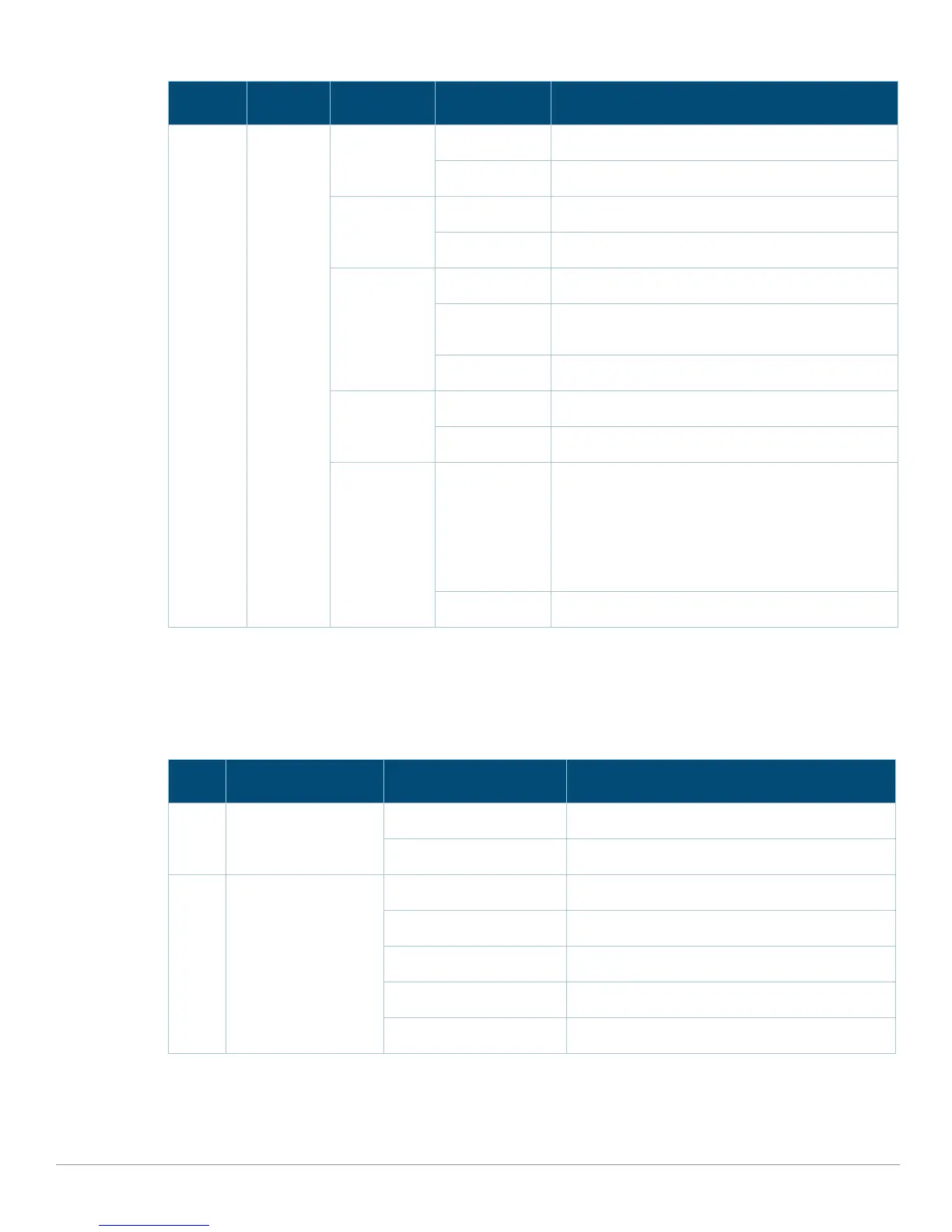
Status Port status Administrative Green (Solid) Port Enabled
Off Port Administratively Disabled
Duplex Green (Solid) Full-duplex
Off Half-duplex
PoE Green (Solid) PoE Enabled
Green (Blinking) Power enabled, but power denied due to
unavailability
Off PoE not enabled
Speed Green (Solid) 1000 Mbps
Off 10/100 Mbps
Fault Green (blinking) Indicates port security errors. Port security errors
could be the following:
MAC limit exceeded
Loop is detected through loop-protect
RA guard error
BPDU guard error
Off N/A
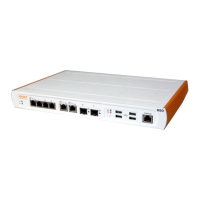
Table 6 Power/Status and Stack LEDs
LED Function Indicator Status
Power Input power status/
system status
Green (Solid) Power On
Off Power Off
Status Module status Green (Solid) Operational
Green (Blinking) Device is loading software (on initial start only)
Amber (Blinking) Major Alarm
Amber (Solid) Critical Alarm
Off System is not booting
Table 5 10/100/1000 Ethernet Port LEDs (Continued)
LED Function LCD Mode Indicator Status


 To Next Page