12 | S2500 Mobility Access Switch Aruba S2500 Series Mobility Access Switch | Installation Guide
LCD Panel
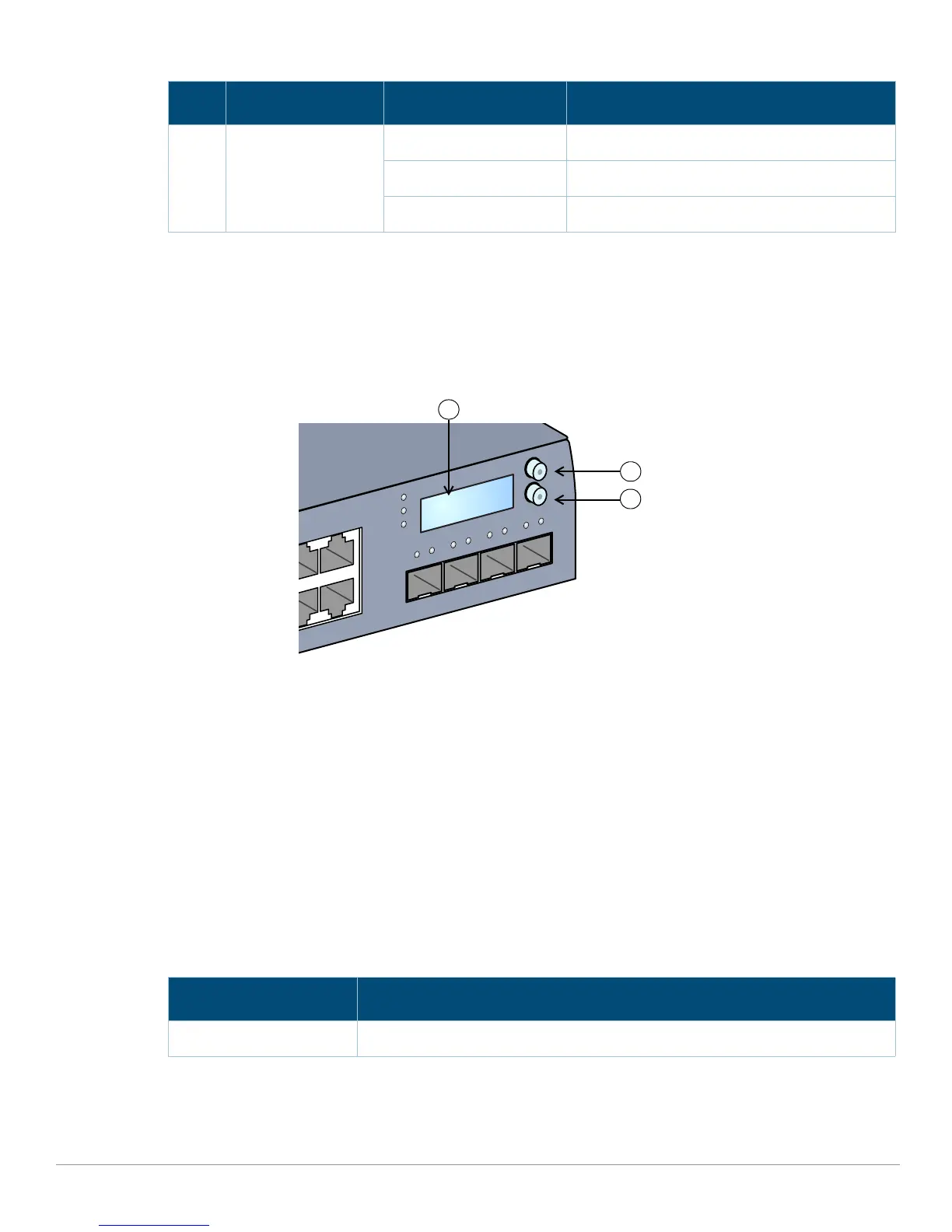
The S2500 is equipped with an LCD panel that displays a variety of information about the mobility access
switch’s status and provides a menu that allows for basic operations such as initial setup and reboot. The
LCD panel displays two lines of text with a maximum of 16 characters on each line. When using the LCD
panel, the active line is indicated by an arrow next to the first letter.
Figure 4 LCD Panel
The LCD panel is operated using the two navigation buttons to the left of the screen.
Menu: Allows you to navigate through the menus of the LCD panel.
Enter: Confirms and executes the action currently displayed on the LCD panel.
The LCD has four modes:
Boot: Displays the boot up status.
LED Mode: Displays the mode that the Port status LED is in.
Status: Displays the status of different components of the S2500, including Stacking Ports, Power
Supplies, and ArubaOS version.
Maintenance: Allows you to execute some basic operations of the S2500 such as uploading an image or
rebooting the system.
Stack Stacking indication Green (Solid) Primary
Green (Blinking) Secondary
Off Linecard (Stack Member)
Table 7 LCD Panel Mode: Boot
Function/Menu Options Displays
Displays boot status “Booting ArubaOS...
Table 6 Power/Status and Stack LEDs (Continued)
LED Function Indicator Status
POWER
MENU
ENTER
STATUS
STACK


 To Next Page