Aruba S2500 Series Mobility Access Switch | Installation Guide Installation | 29
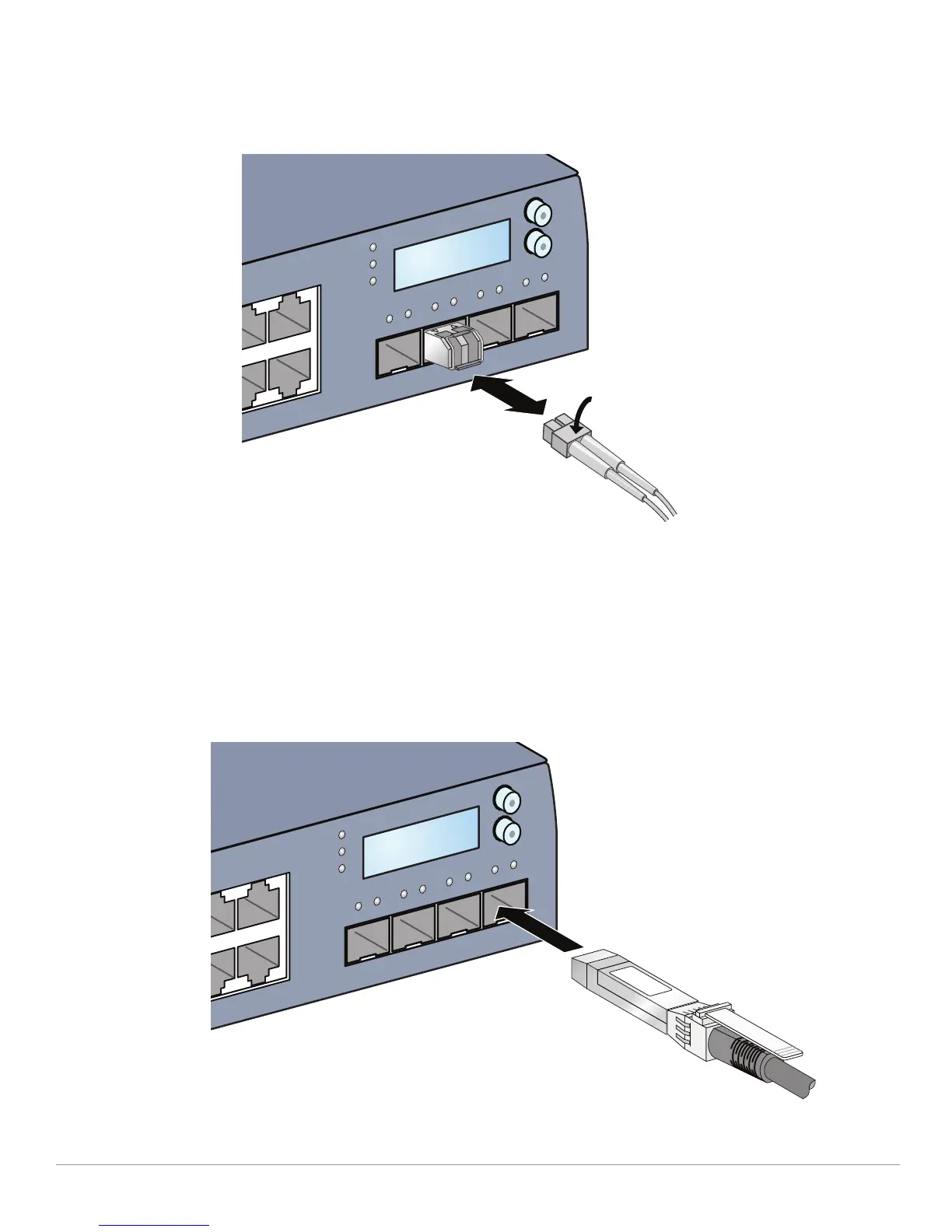
To disconnect an LC fiber optic cable from an SFP-SX or SFP-LX module:
1. Depress to release the latch on the cable and simultaneously pull the cable out of the port.
Figure 16 Connecting an LC Fiber Optic Cable
Installing a Direct Attach Cable
To install a DAC:
1. Use standard ESD precautions when installing a DAC.
2. Slide the DAC, top side facing upward, into a 10GBase-X port until a connection is made and an audible
click is heard (see Figure 17).
Figure 17 DAC Installation
POWER
MENU
ENTER
STATUS
STACK
POWER
MENU
ENTER
STATUS
STACK


 To Next Page