Aruba S2500 Series Mobility Access Switch | Installation Guide S2500 Mobility Access Switch | 15
Uplink Ports
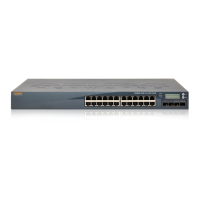
Each S2500 is equipped with four 10GBASE-X ports. These ports are intended for use with Aruba supported
SFPs/SFP+.
These ports can be used as uplink ports or a combination of two uplink ports and two stacking ports. By
default, Ports 0 and 1 are configured as uplink ports and Ports 2 and 3 are configured as ArubaStack ports.
The ArubaStack ports are indicated by a box around the port number. These port assignments can be
changed to meet your configuration needs from the CLI.
10GBASE-X Port LEDs
Each 10GBASE-X port has two LEDs. These LEDs are used to monitor the status and activity on each port.
Depending the LED mode selected through the LCD panel, the displayed information will be different. For
more information on the LCD panel, see “LCD Panel” on page12.
Table 11 10GBASE-X Port LEDs
LED Function LCD Mode Indicator Status
LINK/ACT Link status N/A Green (Solid) A 1G or 10G link has been established
Green (Blinking) Activity on link
Off No link
Status Port status Administrative Green (Solid) Port Enabled
Off Port Administratively Disabled
Duplex Green (Solid) Full-duplex
Off N/A
Speed Green (Solid) 10 Gbps
Off 1 Gbps
PoE Off N/A


 To Next Page