Aruba S2500 Series Mobility Access Switch | Installation Guide Installation | 23
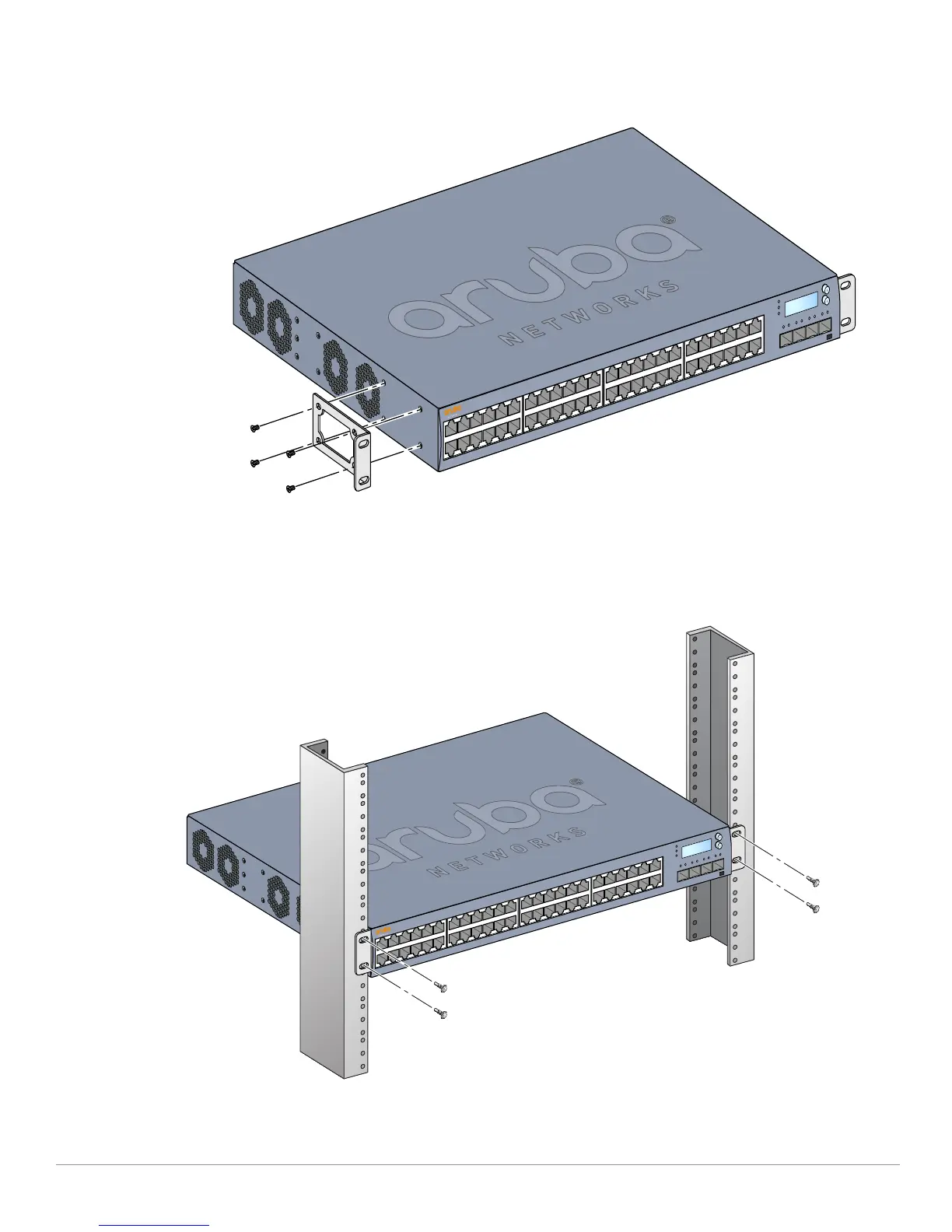
3. Repeat these steps on the opposite side of the mobility access switch.
Figure 9 Rack Mount Brackets
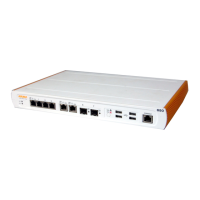
4. Mount the mobility access switch within your organization’s rack system using four (two per bracket)
M6 x 15mm phillips pan head screws and suitable screwdriver (see Figure 10).
Figure 10 Rack Mount Installation


 To Next Page