26 |Installation Aruba S2500 Series Mobility Access Switch | Installation Guide
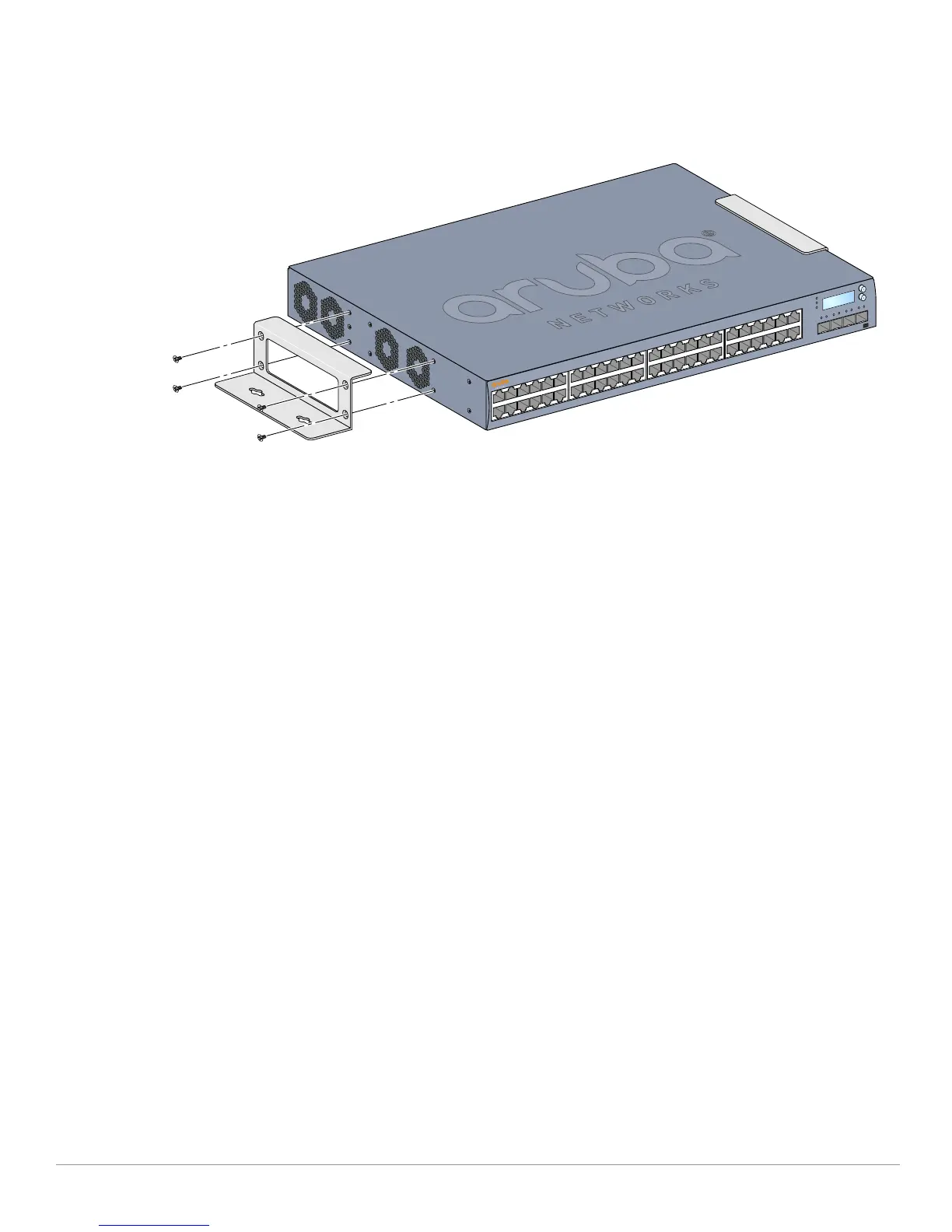
1. Fasten the wall mount brackets over the mounting holes on the sides of the Mobility Access Switch
using the included M4 x 8mm phillips head screws, as show in Figure 13, and a Phillips Head
screwdriver.
Figure 13 Attaching the Wall Mount Brackets
2. After you have chosen a mounting location, mark the locations on the wall where you intend to make
mounting holes.
3. Create the holes and insert wall anchors if your installation requires them.
4. Align the mounting bracket holes with the holes you created in the wall as shown in Figure 14.
5. Use appropriate screws to secure your S2500.
6. Connect the AC power cord to the rear of the unit.


 To Next Page