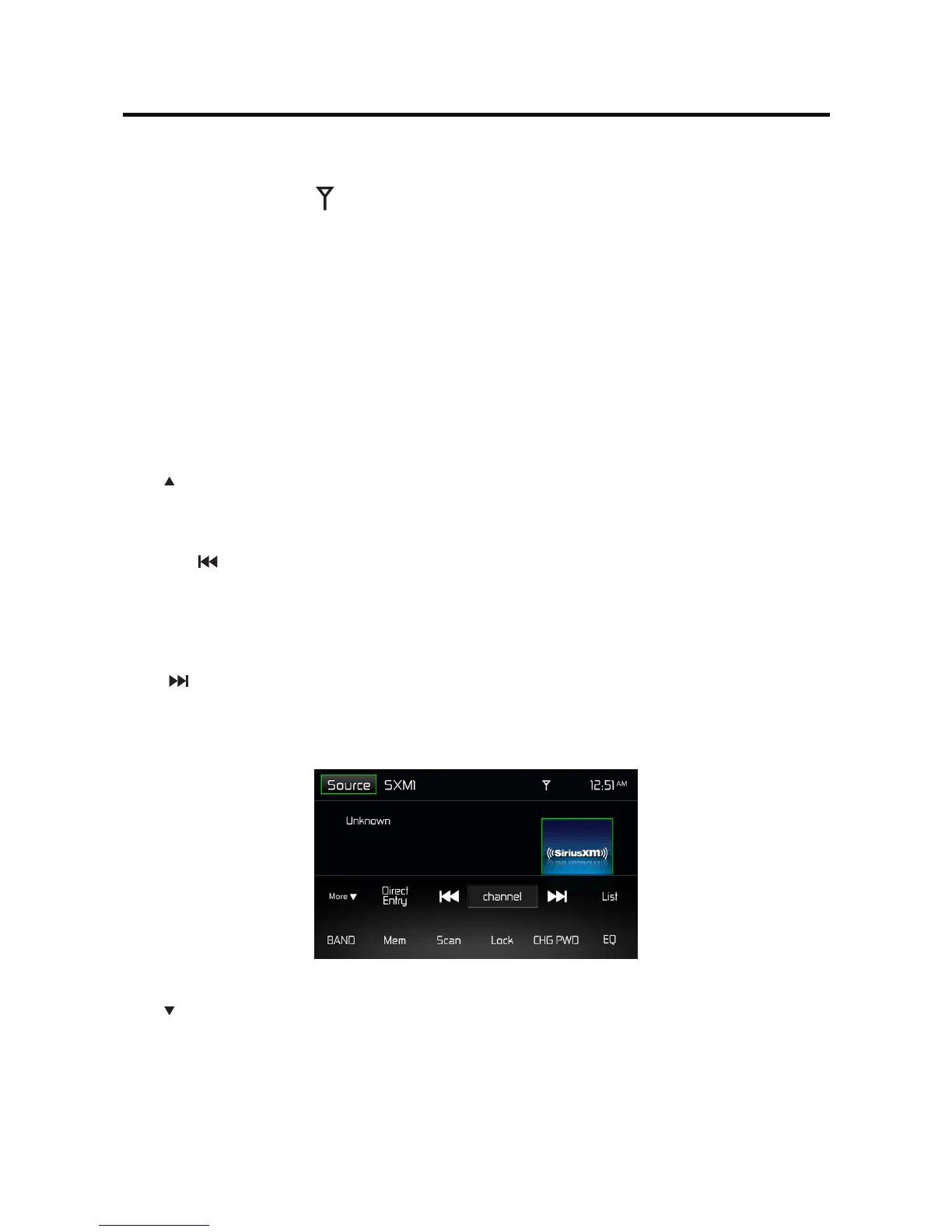
Time Display - This indicator displays the time as entered by the user in the Settings Menu.
Signal Strength Indicator - As the strength of the satellite radio signal increases, the number of
illuminated segments will increase.
Program Information:
Channel Number - Channel numbers are used to designate the channel along with the channel name
and are useful for identifying/loading a channel via the “direct entry” method.
Channel Name - The channel name is used to identify the channel and is usually related to that
channel’s musical content.
Category Name - A category may contain one or more channels grouped by their similar content into a
“Category”.
Artist Name - This area displays the name of the artist currently playing.
Song - This area displays the name of the song currently playing.
Info - This area contains additional information related to the song/track now playing.
More Icon - Touch to go to SiriusXM® Menu Page 2.
Direct Entry Icon - Touch to display the Direct Entry Menu.
Previous ( ) Icon - Touch to tune to the previous channel.
Channel/Category Icon - Touch to toggle the icon displayed between Category and Channel. When
Channel is displayed, touching or tunes channels up or down. When Category is displayed, touching or
tunes channels within a category up or down.
Next ( ) Icon - Touch to tune to the next channel.
List Icon - Touch to select a channel search criteria. Presets lists preset channels stored by the user.
Channels lists all SXM channels. Category lists SXM channels by categories.
(SiriusXM® Menu page 2)
More Icon - Touch to go to SiriusXM® Menu Page 1.
Band Icon - Touch to select a band of preset channels. Three bands are available: SXM1, SXM2, and
SXM3.Eachbandcanstoreuptotenpresetchannels.(PresetchannelsareaccessedfromtheListicon.)
Mem Icon - Touch to display screen used to enter current channel into preset memory.



 To Next Page