Power On / Off
Press the
[
]
knob on the unit to turn the unit on. The buttons on the front of the unit
light up for a moment and the current mode status appears in the LCD.
Press and hold the
[
]
knob to power off the unit.
Playing Source Selection
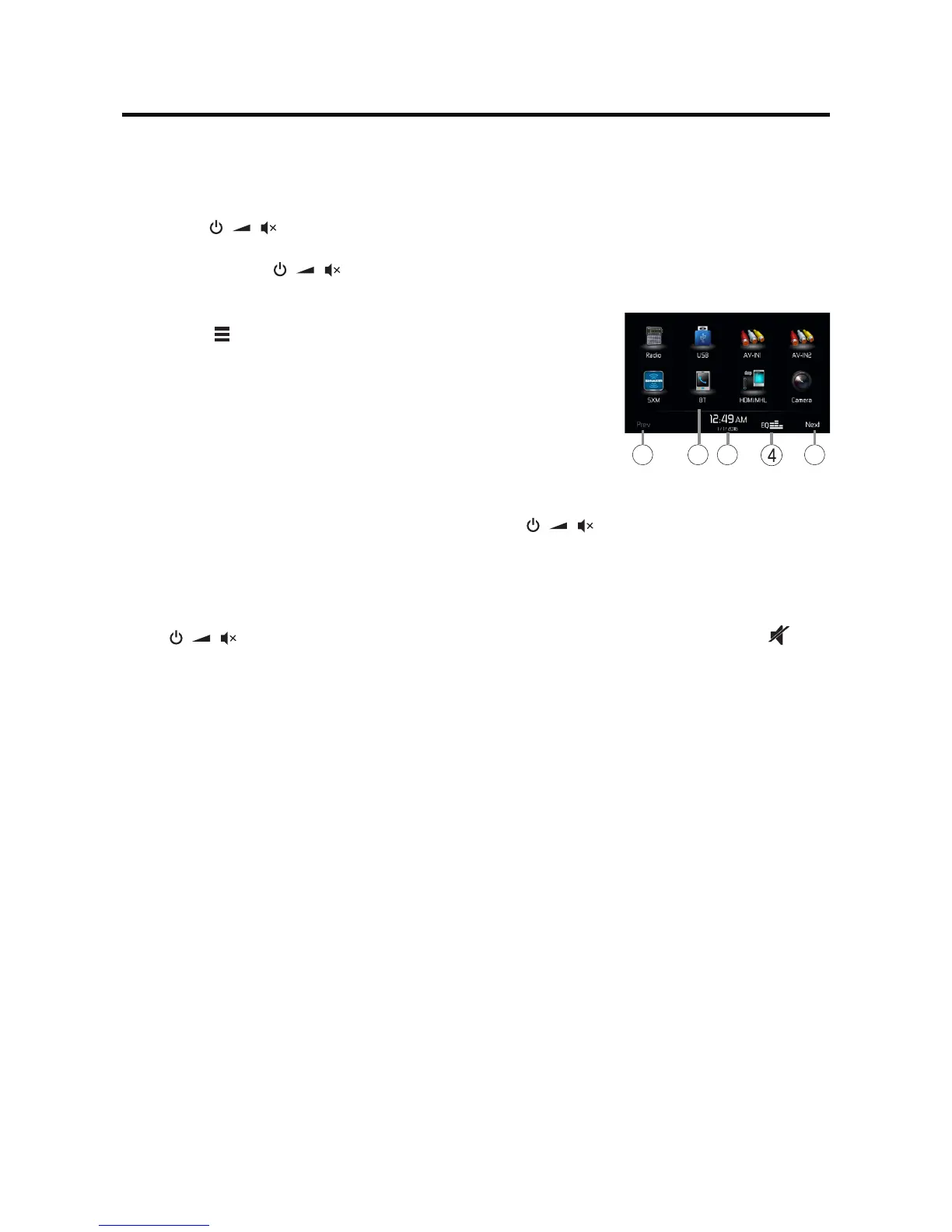
Press the [ ] button on the front panel to display the playing
source menu.
1. Prev or Next: Touch to view the previous or next page of
playing
source
s.
2.
Playing source
icon: touch to access corresponding work mode.
3. Clock
4. Enter EQ setting menu
Volume Adjustment
To increase or decrease the volume level, turn the
[
]
knob on the front panel. The
volume range is from “0” to “50”. The LCD or TFT screen displays the volume level for 3
seconds.
Mute
Press [
] knob to mute the volume from the unit. Press again to restore the volume. [ ] is
displayed on the LCD. Adjusting the volume or using any of the audio setup features cancels the mute
function.
Parking Brake Inhibit
• Whenthe“BRAKE”cableisconnectedtothebrakeswitch,thedisplayontheTFTmonitor
will display video only when the vehicle is applied.
• ParkingbrakefunctionisoverriddenwhenthevideosourceissettoREVERSE.
• Whentheparkingbrakeinhibitisactive,thefrontmonitordisplaysWarninginformation,
preventingthedriverfromwatchingcontentwhiledriving.Rearvideoscreensarenotaffected.
Demo
Demo mode is used to illustrate the functions of the unit. Touch the screen to exit it.
Demomodeisdefaulton.YoucanturnitoffinSettingmenu.
Audible Beep Conrmation
Anaudiblebeeptoneconrmseachfunctionselection.TheBeeptonecanbedisabledthrough
theSetupmenu.
QUICK START GUIDE
1 1
2
3



 To Next Page