EasyManua.ls Logo

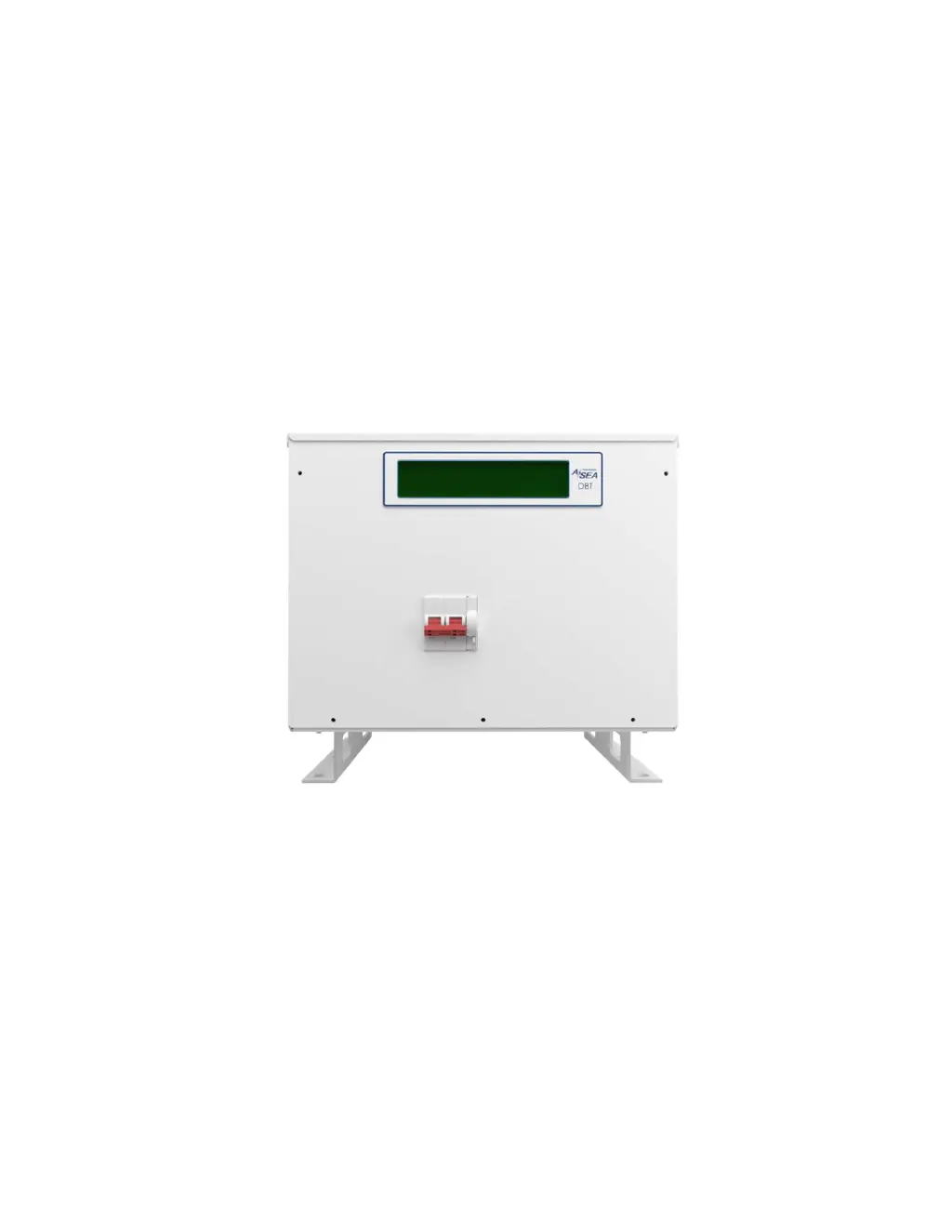
ASEA DBT12 - User Manual

ASEA DBT12
57 pages
Print Icon
To Next Page IconTo Next Page
Loading...
Operations Manual
for the ASEA Power Systems
Models DBT12, DBT15 and DBT24
Dock Boost Transformer Gen. 2
P/N: 628051
Revision: A
Revised 6/2/21

Table of Contents

Questions and Answers

Summary

CERTIFICATION

WARRANTY

LIFE SUPPORT POLICY

1. USING THIS MANUAL

DBT12;15;24 Models

Details models covered by the manual, including their kVA ratings.

Trident Systems Models

Describes higher power applications using Paralleling Master units with DBT units.

2. SAFETY NOTICES

CAUTION Symbol Definition

Explains the caution symbol and its meaning for equipment damage or injury.

WARNING Symbol Definition

Explains the warning symbol and its meaning for life-threatening conditions.

Critical Safety Precautions

Lists critical safety precautions for operation and maintenance, including lethal voltages and jewelry.

3. INTRODUCTION TO THE DBT12;15;24

Product Overview

Describes the DBT12/15/24 as an isolation transformer for shipboard use, highlighting its features.

Block Diagram Explanation

Explains the functional components of the DBT12/15/24 as shown in the block diagram.

4. SPECIFICATIONS

Electrical Specifications

Details input and output electrical parameters like voltage, current, frequency, and power.

Physical Specifications

Covers mechanical dimensions, weight, and environmental operating ranges.

Control and Status

Lists the control and status components like circuit breakers and contactors.

Environmental Specifications

Specifies ambient temperature range and air exchange rates for operation.

5. INSTALLATION

General Installation Guidelines

Emphasizes reading the manual before installation and performing visual inspection upon receipt.

Thermal Load

Provides thermal load figures in BTU/Hr for DBT12, DBT15, and DBT24 units.

Handling and Positioning Warning

Warns about the heavy weight of units and the need for caution and handling devices.

5.1. MECHANICAL INSTALLATION

DBT Mounting Requirements

Describes horizontal deck-mount installation, mounting feet, and hardware requirements.

DBT Recommended Clearances

Details required clearances for proper operation and service access.

5.2. ELECTRICAL INSTALLATION

Input Service Overcurrent Protection

User's responsibility to provide input service overcurrent protection and disconnect means.

Front Cover Removal

Step-by-step guide on how to remove the front cover for wiring access.

Power Cable Preparation

Instructions for preparing power cables, stripping insulation, and connecting to terminal blocks.

5.2.1. Shore; Ship Power Connections

Terminal Block Specifications

Describes compression and stud type terminal blocks and wire gauge compatibility.

5.2.2. Grounding

Chassis Ground Connection

Details connecting the unit chassis to the ship's ground point via the provided stud.

Ground Reference Requirement

Explains the need to re-establish ground reference for safety and warranty compliance.

5.2.3. Service Port

USB Service Port Functionality

Describes the location and use of the USB port for diagnostics and firmware updates.

6. OPERATION

DBT Power Turn-On Procedure

Step-by-step guide to turn on the unit, including self-test, initial display, and summary screens.

Display Sequence and Summary Screens

Describes the alternating summary screens showing shore and ship power information.

6.2. OPERATION

Automatic Gain Selection

Explains how the unit monitors shore voltage and selects gain based on predefined charts.

Gain Selection Hysteresis Charts

Displays charts illustrating voltage gain selection based on shore voltage for different models.

6.3. TURN-OFF PROCEDURE

Unit Shutdown Steps

Details turning the circuit breaker to OFF to power down the unit.

6.4. AUTO RESTART FEATURE

Feature Description and Highlights

Explains the auto-restart feature for automatic on-line recovery after shore power failure.

Safety Warnings for Auto-Restart

Provides critical safety warnings regarding lethal voltages and panel removal during operation.

7. TRIDENT SYSTEM

System Overview and Advantages

Introduces the Trident System using DBT units and Paralleling Master for higher power applications.

7.1. PARALLELING MASTER PHYSICAL SPECIFICATIONS

Mechanical and Environmental Specs

Lists mechanical dimensions, weight, and environmental operating ranges for Paralleling Master units.

7.2. PARALLELING MASTER MECHANICAL INSTALLATION

Paralleling Master Recommended Clearances

Provides recommended installation clearances for Paralleling Master units.

7.3. TRIDENT SYSTEM ELECTRICAL INSTALLATION

Split-Phase Power Connections

Illustrates power connections for Trident Systems in split-phase ship installations.

Single-Phase Power Connections

Illustrates power connections for Trident Systems in single-phase ship installations.

Paralleling Cable Connections

Cable Connection Diagram

Details connecting control and status signals between Paralleling Master and Slave DBT units.

7.4. TRIDENT SYSTEM OPERATION

Trident System Power Turn-On Procedure

Describes the 3-position switch operation and initial startup sequence for the Paralleling Master.

Trident Summary Screen Information

Details the information displayed on the initial summary screens of the Paralleling Master.

Trident Ship Power Information Screens

Explains the content of the second and third summary screens showing ship power details.

Trident System Operating Modes

Lists the different operating modes for the Trident System: Parallel, Two Singles, Slave, Standby.

7.4.2. Parallel Mode

Parallel Mode Conditions

Details conditions and Master actions for operating in Parallel mode.

7.4.3. Two Singles Mode

Two Singles Mode Conditions

Details conditions and Master actions for operating in Two Singles mode.

7.4.4. Slave 1 or Slave 2 Modes

Slave 1;2 Mode Conditions

Details conditions and Master actions for operating in Slave 1 or Slave 2 modes.

7.4.5. Standby Mode

Standby Mode Conditions

Details conditions and Master actions for operating in Standby mode.

7.4.6. Turn-Off Procedure

Trident System Shutdown Steps

Provides instructions for safely turning off the Trident System, including warnings.

8. TROUBLESHOOTING AND DIAGNOSTICS

Common Problems and Solutions

Lists common operational issues and suggested actions for troubleshooting.

Soft-Start Inhibit Function

Explains the soft-start inhibit feature and the countdown displayed on power-up.

8.3. ABNORMAL OPERATION

Warnings vs. Faults Classification

Classifies abnormal conditions into warnings and faults, describing their impact on operation.

Faults and Restart Logic

Details how faults are handled, including stopping power, displaying WAIT, and restart attempts.

8.3.3. Failure and Warning Messages

Diagnostics Screen Overview

Explains the diagnostics screen that displays present fault and warning messages.

Common Fault Messages

Lists specific fault messages and their meanings, such as voltage out of range or overload.

Common Warning Messages

Lists specific warning messages and their meanings, such as fan not spinning or high current.

8.4. BYPASS AND 1:1 MODES

Bypass Mode Functionality

Allows temporary operation under unstable conditions with disabled advanced features.

1:1 Mode Operation

Explains 1:1 mode for fault conditions and the bypass switch indicator.

8.5. GATHERING DATA

Data Collection for Support

Instructs users to record fault/warning messages and unit details when contacting support.

9. MAINTENANCE

Preventative Maintenance Schedule

Lists minimum recommended maintenance tasks and their frequencies.

Electrical Connections Tightening

Recommends tightening electrical connections every 6 months, adjusted by user experience.

CPU Battery and Fan Replacement

Specifies replacement intervals for CPU battery (3 years) and fan (2 years) with safety warnings.

10. INTERNATIONAL POWER FORM REFERENCE

Country-Specific Power Information

Provides a list of countries, frequencies, nominal voltages, and comments for international power forms.

ASEA DBT12 Specifications

General IconGeneral
BrandASEA
ModelDBT12
CategoryTransformer
LanguageEnglish