Adjusting the Odour control
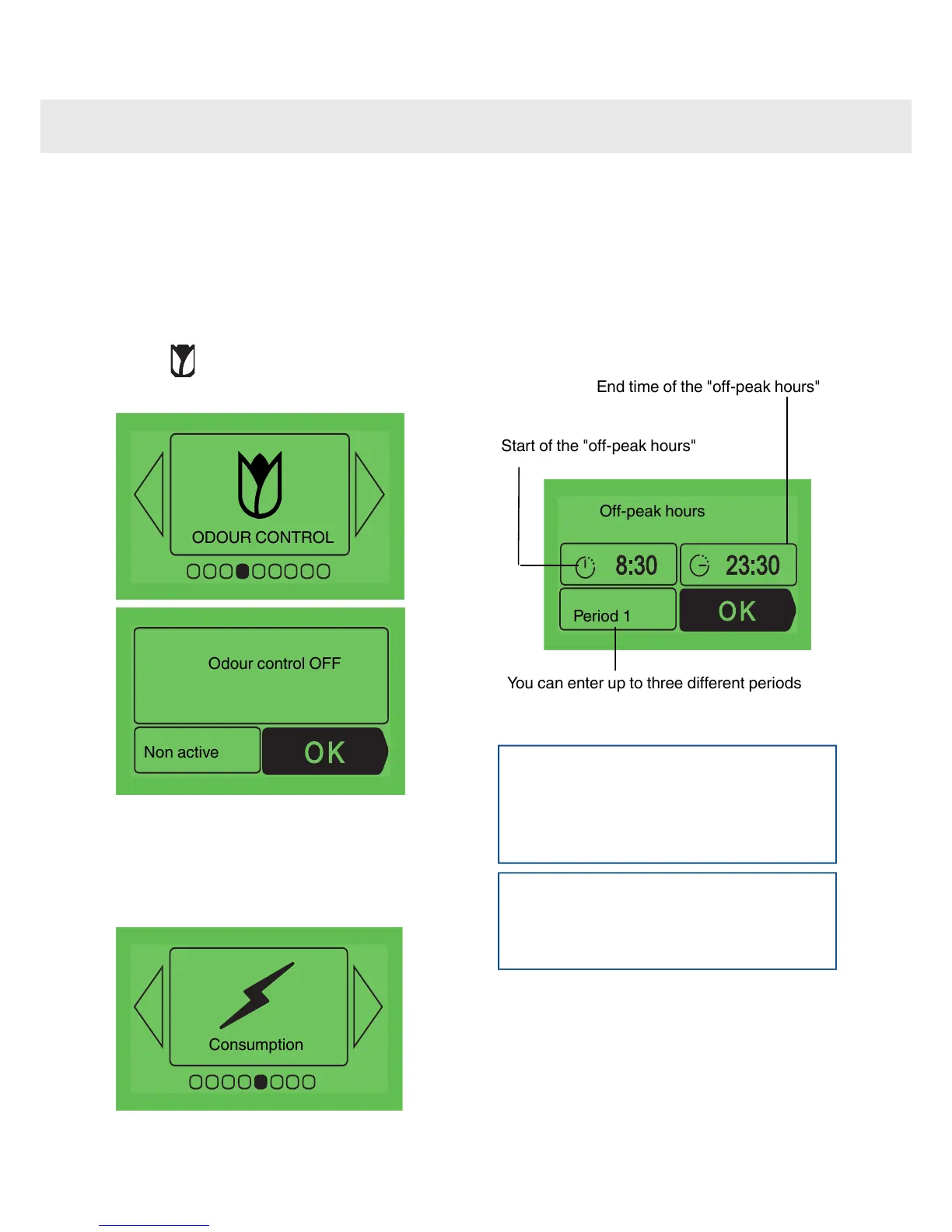
You can activate or deactivate the “Odour control”
function (the filtering of fat and odours during
cooking).
When baking cakes and pastries for example,
turning off “Odour control” makes it possible to
allow the delicious aromas to circulate. The
symbol
show you that the “Odour control” function
appears on the display to show you
that the “Odour control” function is active.
Odour control OFF
Non active
Adjusting the electricity
consumption
By accessing this screen, you have the possibility
to consult the electricity consumption for your
oven since it was last reset.
If you have a contract with your electricity supplier
which includes off-peak or economy hours, you
can enter the corresponding off-peak times and
view details of your consumption during
peak/off-peak hours.
To enter or modify data, confirm by pressing OK
then enter the times for each period.
Off-peak hours
Period 1
Start of the "off-peak hours"
End time of the "off-peak hours"
You can enter up to three different periods
Note
If you have entered periods of off-peak hours,
the oven will automatically propose starting its
pyrolysis cleaning cycle at the closest off-peak
time.
Note
If you would like to carry the pyrolysis cleaning
of your oven immediately, you need to cancel
the programming of off-peak hours.
25
Accessing the various cooker settings



 To Next Page