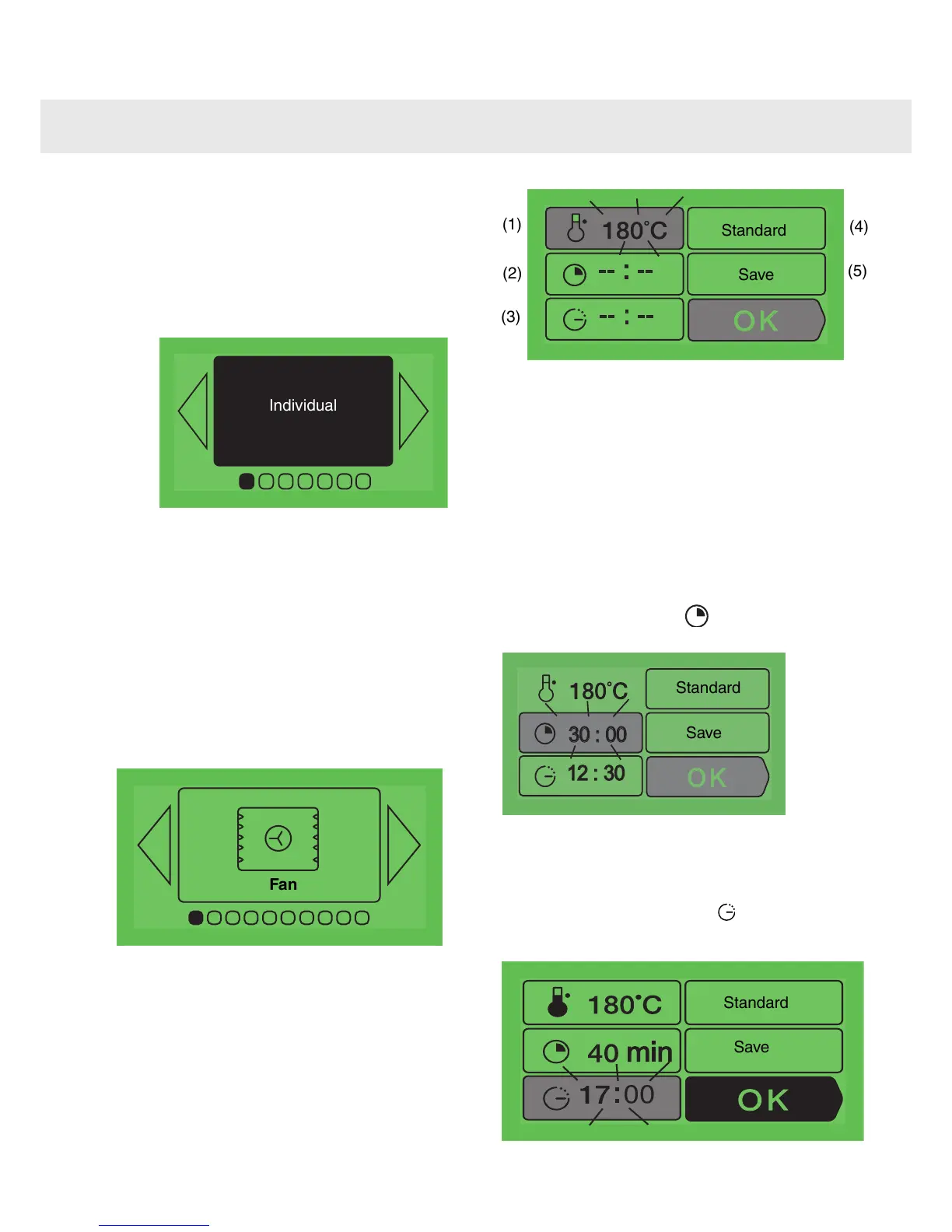
The “Individual” function
The “Individual” function enables you to set all of
the cooking settings by yourself including
temperature, cooking cycle and
1
Press OK. Select “Individual” function with
< or >.
2
Press again OK to select the type of
cooking from among the following list by
pressing < or > :
•
Fan
•
Fan assisted base
•
Pizza/Combined heat Grill Double grill
•
Top/bottom heat
•
Top/bottom heat ECO
•
Keep warm
Confirm your choice by pressing OK.
Example
The oven will then ask you to enter the other
cooking information.
3
The temperature
According to the cooking cycle that you
have selected, the oven will recommend
the ideal cooking temperature. This can be
modified as follows:
(1)
(2)
(3)
(4)
(5)
Standard
Save
Select the box (1) by pressing < or >. Confirm with
OK, and the box will startflashing. Choose the
desired temperatureby pressing < or > and
confirm with OK.
In the grill position select the "grill power" box. Set
the desired grill power (from 1 to 4) using < or >
and confirm with OK.
4
The cooking time and the cooking end
time
You can enter the cooking time for your dish
by selecting the box
You can enter the cooking time for your
Press < or > in order to make this box flash, then
enter the cooking time by pressing < or > and
confirm with OK. When you adjust the cooking
time, the cooking end time (box
you adjust the cooking time, the cooking
) automatically
changes accordingly.
10
Using the various cooking modes



 To Next Page