You can change this cooking end time if you want
it to be different. In this case, select the box
you want it to be different. In this case,
and proceed in the same manner as for the
adjustment of the cooking time. When you have
chosen your cooking end time, press OK to
confirm.
Your oven will put itself into standby mode(the
symbol
Your oven will put itself into standby
on the display) until the cooking starts
(end time - cooking time).
NB
You can choose not to select the cooking time.
In this case, leave the cooking time and cooking
end time boxes empty and go directly to OK.
Confirm to start cooking. The oven can be turned
off by pressing twice on the STOP button when
you consider that your dish has cooked
sufficiently.
5
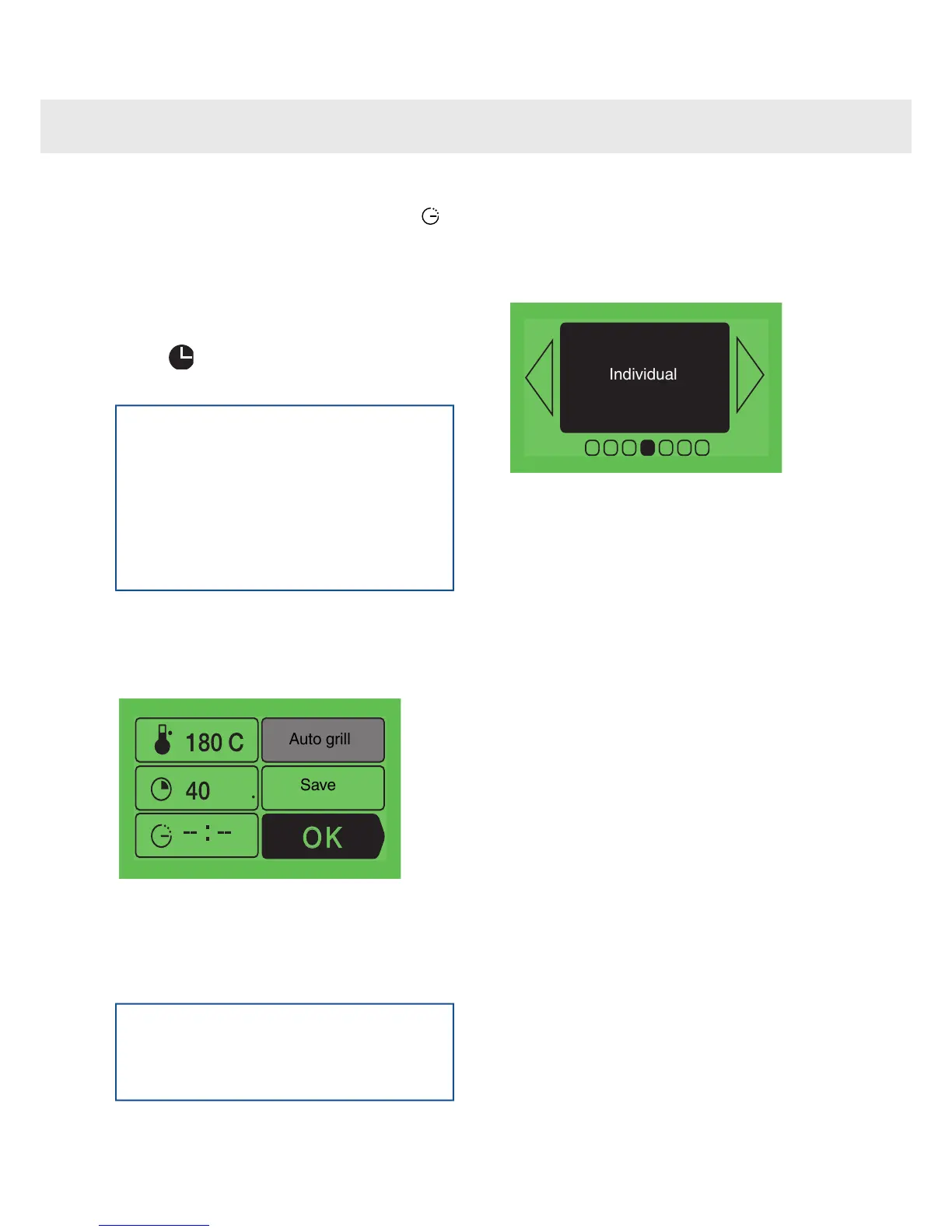
The "Auto grill" option
You can access the "Auto grill" function by
selecting the "standard" box and pressing
OK.
This function enables you to complete the cooking
cycle by a browning for the last five minutes of the
cooking time. This function is shown by the grill
on the screen flashing as it starts up, five minutes
before the end of the cooking cycle.
NB
"Auto grill" can be used with the following
cooking modes: fan, fan assited base,
pizza/combined heat, top/bottom heat.
6
The program memory
If you would like to store the programme
that you have just created into the oven
memory, then access this box and press
OK:
The MEMORIES function enables you to
memorise three cooking modes that you have
tried out using the “Individual” function. Using the
memories, you will no longer need to always enter
the same information. When cooking the same
dish with the same quantity of ingredients, you
will always obtain the same results.
If you would like to store the programme that you
have just defined into the memory, access this
box and press OK.
The screen then proposes recording the
information in an empty memory or replacing one
of the other memories with the new information.
•
After cooking, and before using the oven
again, it is possible to enter the
information from the last cooking session
in the memory. Even after having tasted
your dish, it still isn't too late to record
the cooking mode used!
Instructions:
•
Select the "program memory”
•
Press OK.
•
Select "Last dish cooked" with < or >.
11
Using the various cooking modes



 To Next Page