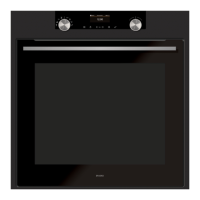
Oven features
1.
Selection touch control
2.
Switch off the oven or your programme
3.
Return to the previous level
4.
Information Display
5.
Validation touch control
6.
Lock the Keypad
Using for the first time
Before you use your oven for the first time, leave
it empty and, with the door closed, turn it on to
maximum temperature and let it heat up for 15
minutes. This "runs the oven in". During this time
there may be some smell from the mineral wool
that insulates the oven and there could be some
smoke.
This is perfectly normal.



 To Next Page