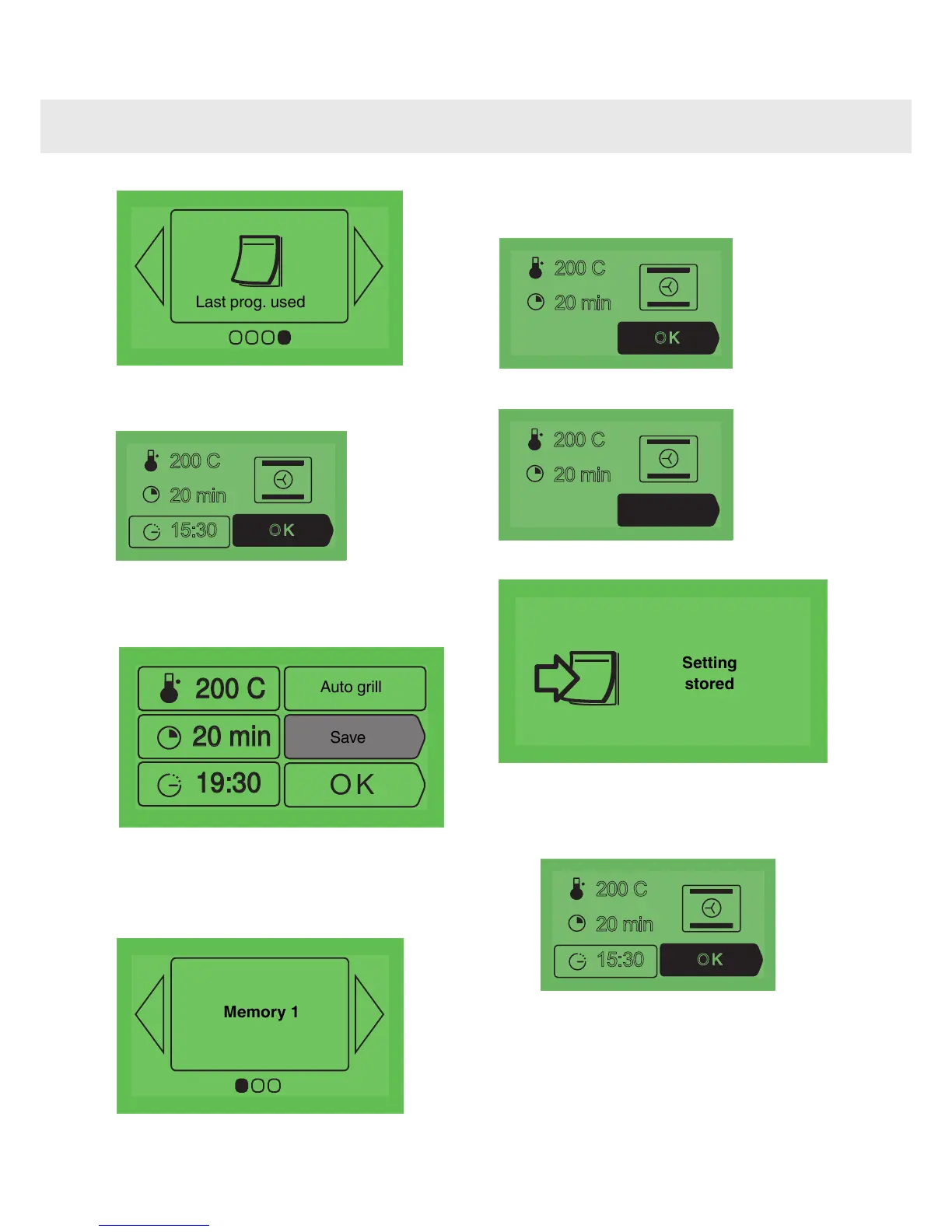
The screen displays the last settings used for the
last dish cooked.
for the last dish cooked.
15:30
20 min
•
Press OK.
•
Press OK to confirm the settings.
•
Select "Save".
•
Press OK.
•
Access the "Memories" option.
•
Press OK.
•
Select the memory number (1, 2 or 3)
•
Press OK.
•
The screen will then show you:
either an empty memory,
7
Starting cooking
- Access the "Memories" and select your
settings stored. Press OK to start cooking.
As soon as you have confirmed your choice , your
cooking programme either starts immediately or
switches over to standby if you have set the
cooking end time for later.
When cooking starts, the following screen is
displayed and informs you that it is in booster
12
Using the various cooking modes



 To Next Page