USER manual
60 of 260
6.11 Dispensing with Autosteamer
6.11.1 Dispensing
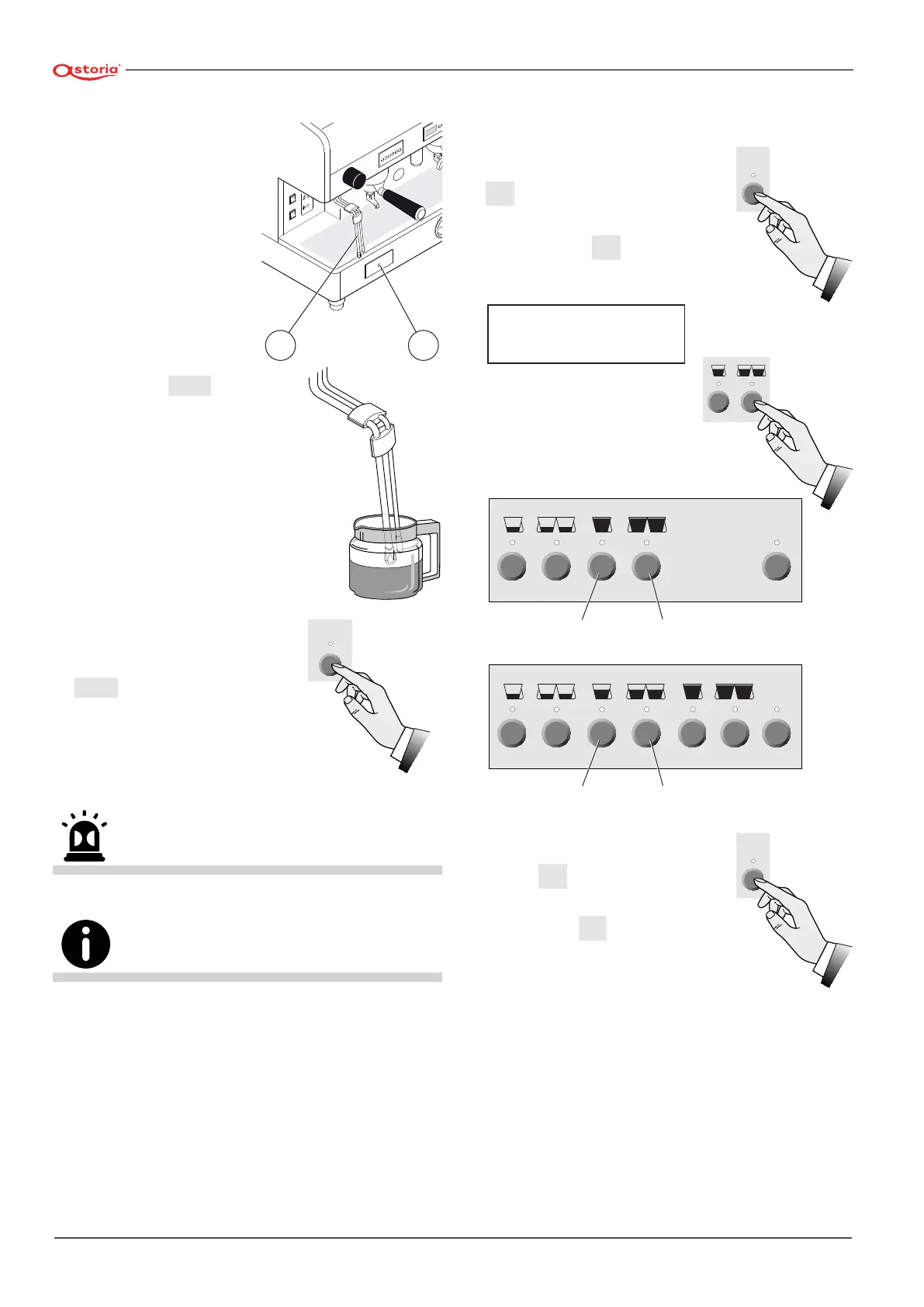
• Immerse the terminals of
the autosteamer spout
(24) in the milk;
• press button
Autosteamer
(23);
• wait until the delivery is nished;
• to block the dispensing in ad-
vance press the same button
Autosteamer
.
Avoid contact with the steam nozzles, do not direct your hands or
other body parts towards the steam nozzle ends.
Keep the tips clean at all times using a cloth dampened in
lukewarm water. The milk can be kept in the refrigerator for a
maximum of 3-4 days.
24 23
Autosteamer
6.11.2 Adjusting the temperature
To adjust the temperature of the autosteamer inter-
vention, proceed as follows:
• Press and keep pressed button
STOP
PROG.
of the right-hand push-but-
ton panel for at least 5 seconds;
• press button
STOP
PROG.
repeatedly
until the following message will
be displayed:
• by means of buttons (+) and
(-) modify the autosteamer’s
temperature displayed;
• to conrm the operation, press
button
STOP
PROG.
;
• To exit the programming mode,
press the key
STOP
PROG.
STOP
PROG.
AUTOSTEAMER
65 °C
STOP
PROG.
Decreases
( - )
Increases
( + )
STOP
PROG.
Decreases
( - )
Increases
( + )
STOP
PROG.







 To Next Page