USER manual
ENGLISH
63 of 260
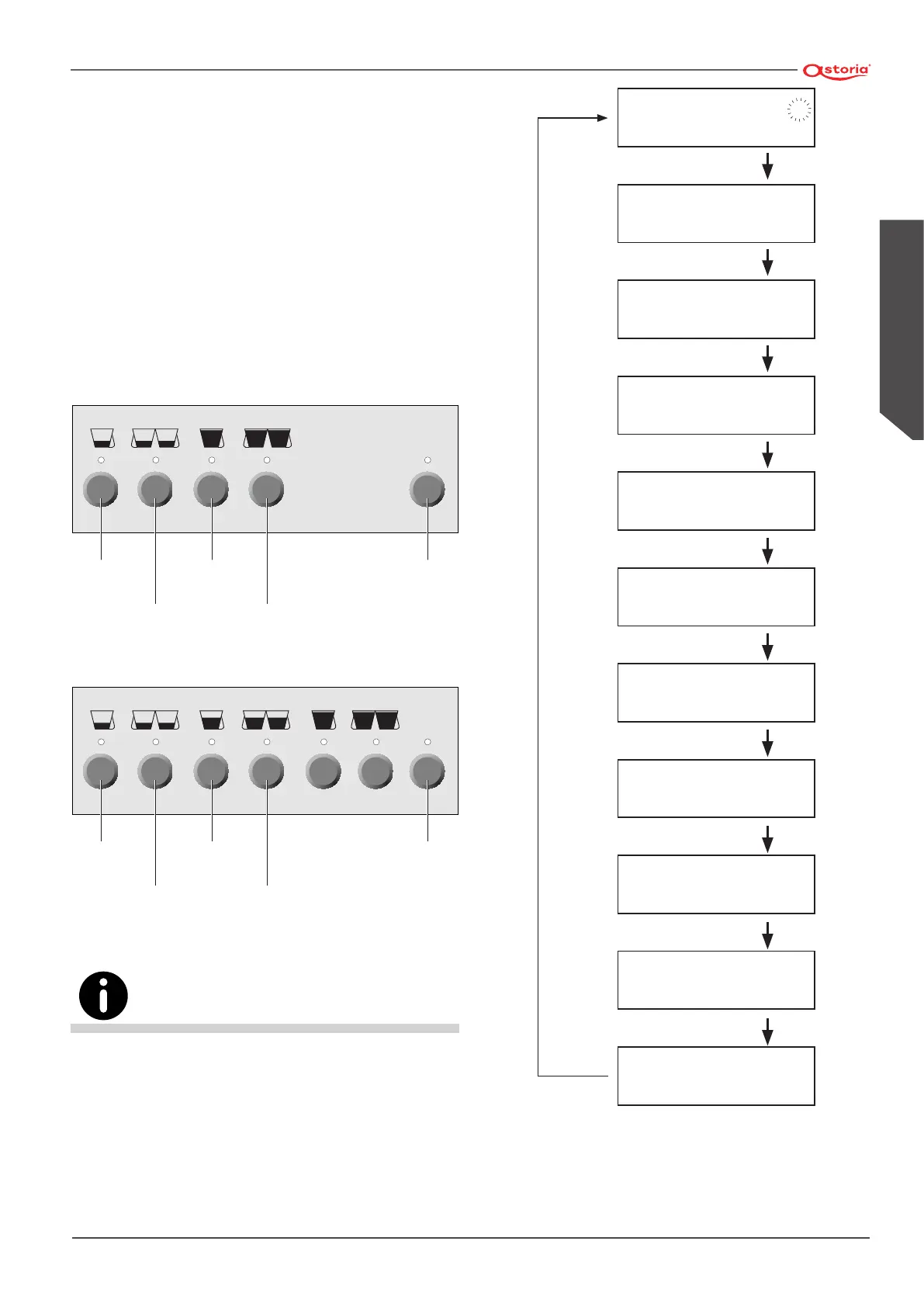
6.14 Programming of machine parameters
(DISPLAY version)
6.14.1 Access to menu
• To access the programming menu, press and keep
pressed button (
MODE
) for at least 3 seconds;
• to scroll the various areas of the programming menu,
use button (
MODE
);
• To switch from one parameter to another within the
same area, use button (
ENTER
);
• to modify the value of every parameter, use the two
buttons (
+
) increase and (
-
) decrease.
STOP
PROG.
Mode
Enter Decreases
( - )
Increases
( + )
Stop
Programm.
STOP
PROG.
Mode
Enter Decreases
( - )
Increases
( + )
Stop
Programm.
The system quits automatically the programming stage after
approx. 20 seconds from the last operation carried out.
For programming, always use the right-hand push-button panel.
1.0 BAR 120°C P
09:16 09-10-12 5
DOSER UNITS ALARM
000 000 000 000
AUTOSTEAMER
65 °C
CUP WARMER
80°C
LANGUAGE
ENGLISH
LITRES COUNTER
LIT.= NNNNN
REG. SOFTENER
00000
DAYS WORKED
1234567
AUTO ON/OFF
OFF 23:00
AUTO ON/OFF
ON 08:00
CLOCK SETUP
09:16 18-10-12 1
(MODE ) x 3 sec.
(MODE ).
(MODE ).
(MODE )
(MODE )
(MODE )
(MODE )
(MODE )
(MODE )
(MODE )







 To Next Page