12
3.2.4 Wi-Fi
The CMAX6000 also operates as a wireless access point, allowing
wireless computers to communicate with each other.
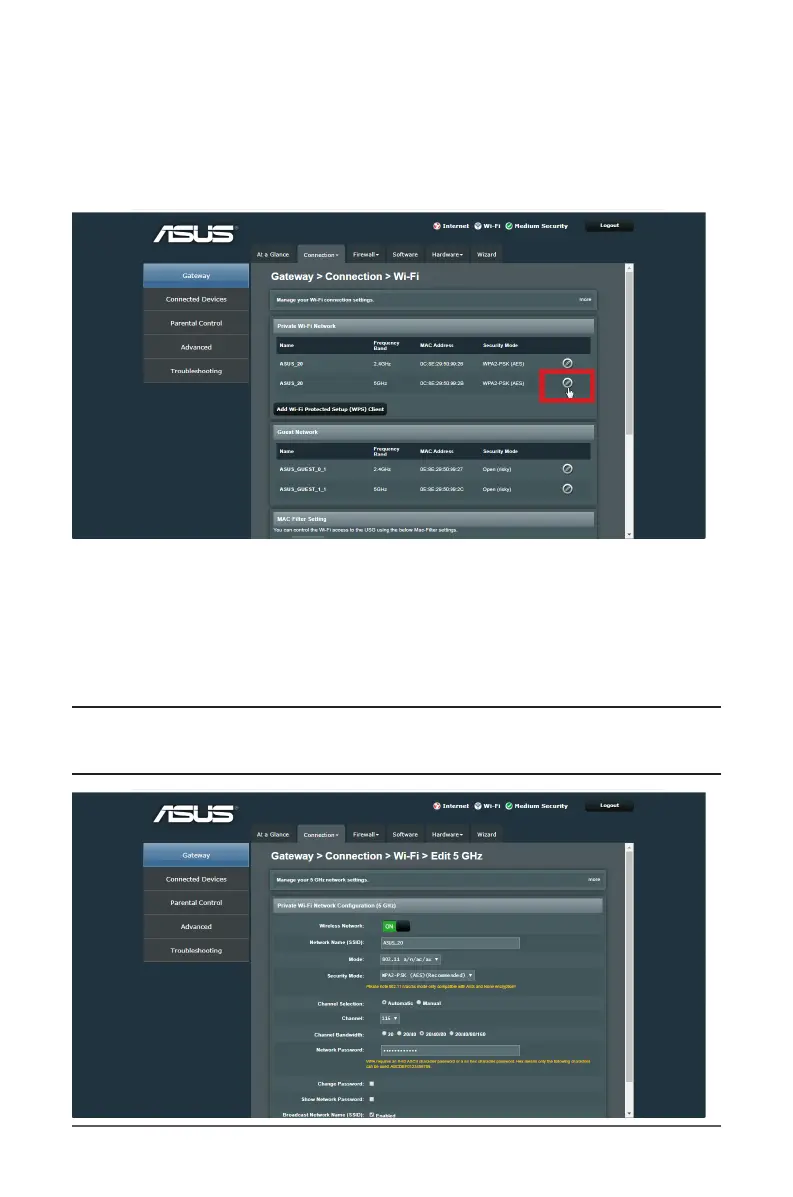
Private Wi-Fi Network
To congure the private wireless settings:
1. From the navigation panel, go to Gateway > Connection tab.
2. Select Wi-Fi from the dropdown menu.
3. Click the edit icon to congure the wireless settings.
NOTE: You can set up dierent wireless security settings for
2.4 GHz and 5 GHz bands.



 To Next Page