21
3.3 Firewall
The wireless router can serve as a hardware rewall for your
network.
NOTE: The Firewall feature is enabled Typical Security
(Medium) by default.
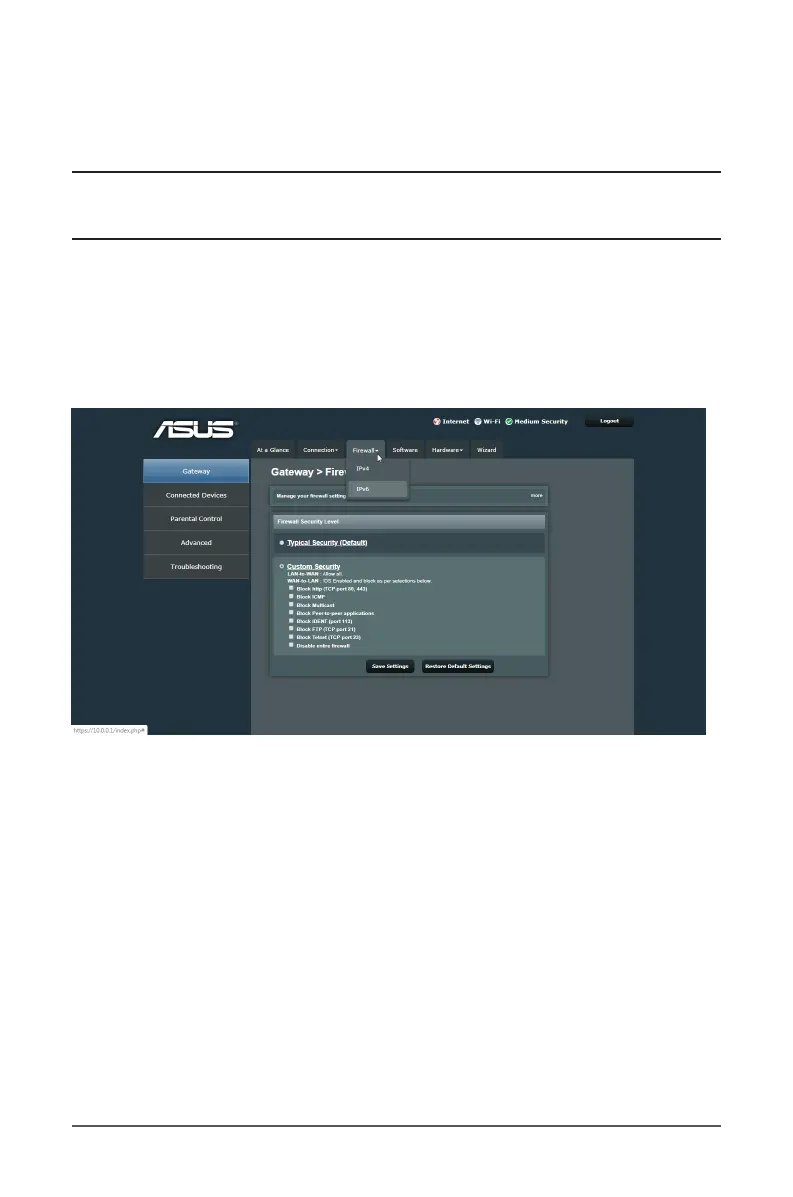
3.3.1 IPv4 Firewall / IPv6 Firewall
By default, the IPv4 rewall blocks all P2P (peer-to-peer)
applications and pings to the router . The IPv6 rewall function
blocks all unsolicited incoming traffic.
To set up a network service lter by blocking specied
services:
1. From the navigation panel, go to Gateway > Firewall tab.
2. Select IPv4/IPv6 from the dropdown menu.
3. Click Custom Security.
4. Specify the network services as shown on the screen to lter.
5. When done, click Save Settings.



 To Next Page