26
4 4 Managing Network ClientsManaging Network Clients
4.1 Connected Devices
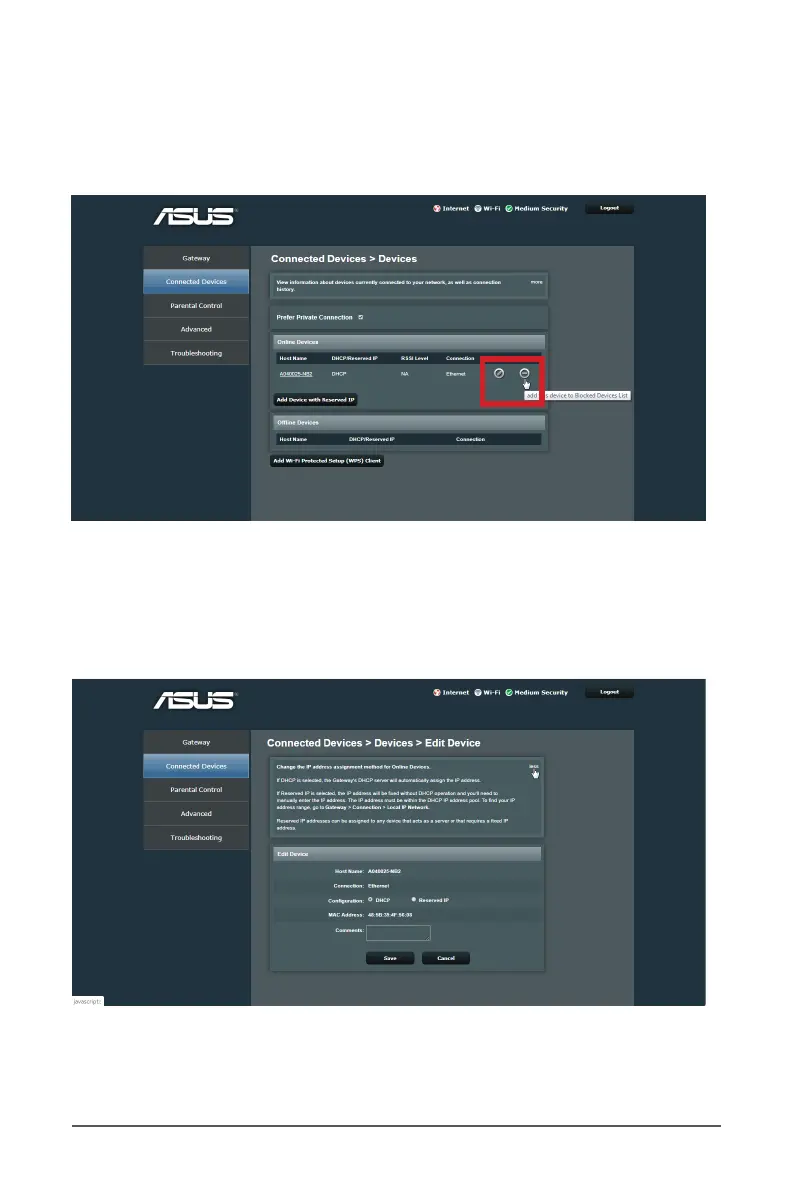
The connection status is displayed as the following screen.
To manage your network clients:
1. From the navigation panel, click on Connected Devices.
2. On the Prefer Private Connection, select the edit icon to
display your network client’s information.
3. When done, click Save.



 To Next Page