35
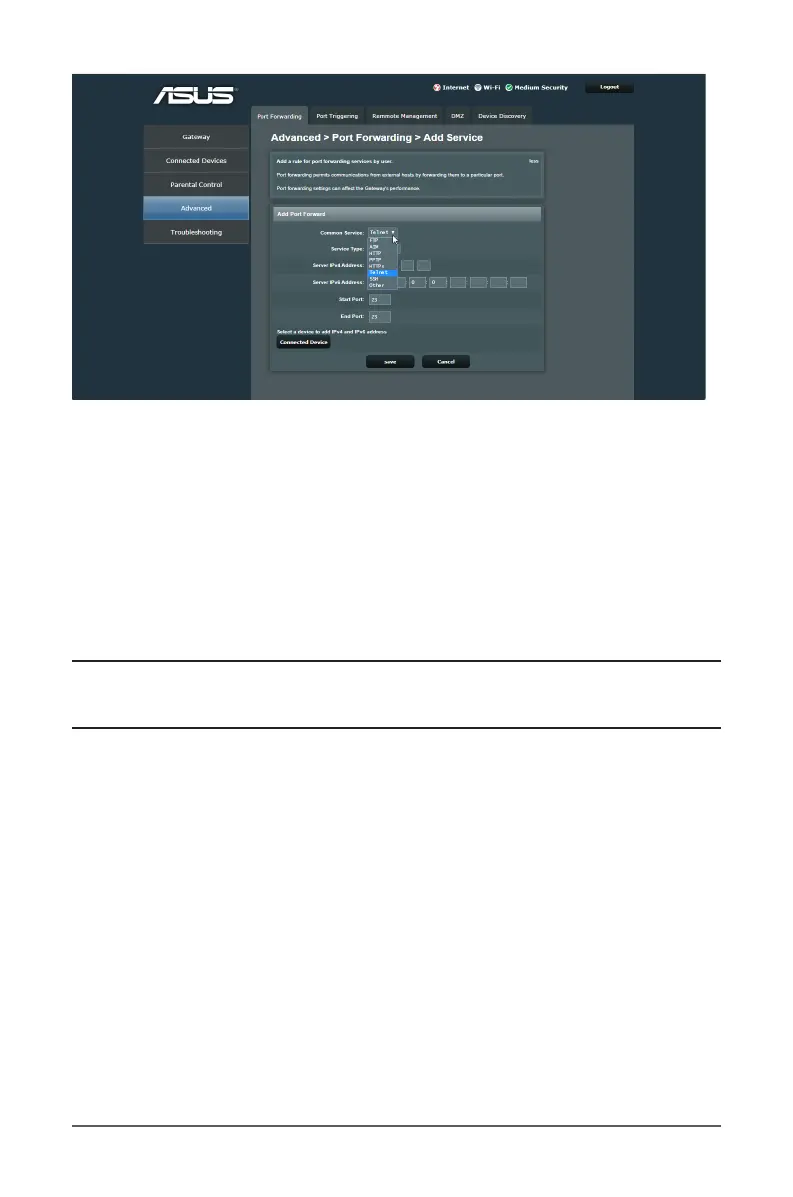
• Common Service: Select an external virtual server service.
The router redirects the external service request to the
appropriate server.
• Service Type: Determine which type of service you want
to access.
• Server IPv4 Address: Key in the client’s LAN IPv4 address.
• Server IPv6 Address: Key in the client’s LAN IPv6 address.
NOTE: Internet users can access the service they need at the
local address to which you redirect them.
• Start Port: Enter the starting port number depending on
the requested service.
• End Port: Enter the end port number depending on the
requested service.
• Select a device to add IPv4 and IPv6 address: Click on
the Connected Device button and click Add to easily set
up the local LAN IP address.



 To Next Page