37
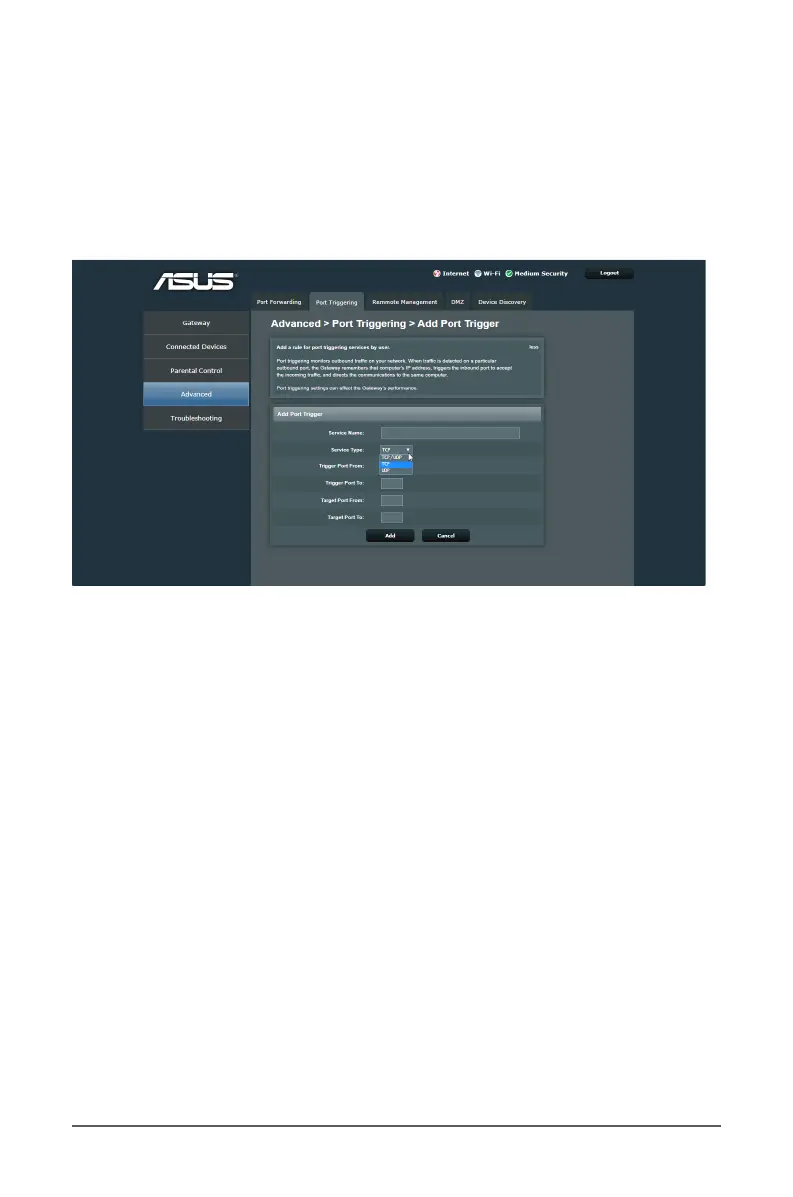
To set up Port Triggering:
1. From the navigation panel, go to Advanced > Port
Triggering tab.
2. Move the slider to ON to enable Port Trigger.
3. Congure the following settings below.
• Service Name: Enter a short name or description for the
service.
• Service Type: Select the protocol, TCP, or UDP.
• Trigger Port From: Specify a starting trigger port number
to open the incoming port.
• Trigger Port To: Specify an end trigger port number to
open the incoming port.
• Target Port From: Specify a starting incoming port
number to receive inbound data from the Internet.
• Target Port To: Specify an end incoming port number to
receive inbound data from the Internet.
4. When done, click Add.



 To Next Page