5-19
ASUS ESC4000A-E10
BME DMA Mitigation [Disabled]
This allows you to enable or disable re-enabling Bus Master Attribute disabled during Pci
enumeration for PCI Bridges after SMM locked.
Configuration options: [Disabled] [Enabled]
OnBrd/Ext VGA Select [Auto]
This allows you to select between onboard or external VGA support.
Configuration options: [Auto] [Onboard] [External]
PCIE OPROM Slot Options
The items in this option allows you to select the OPROM configurations for slots.
PCIE OPROM Slot Options
The items in this option allows you to select the OPROM configurations for slots.
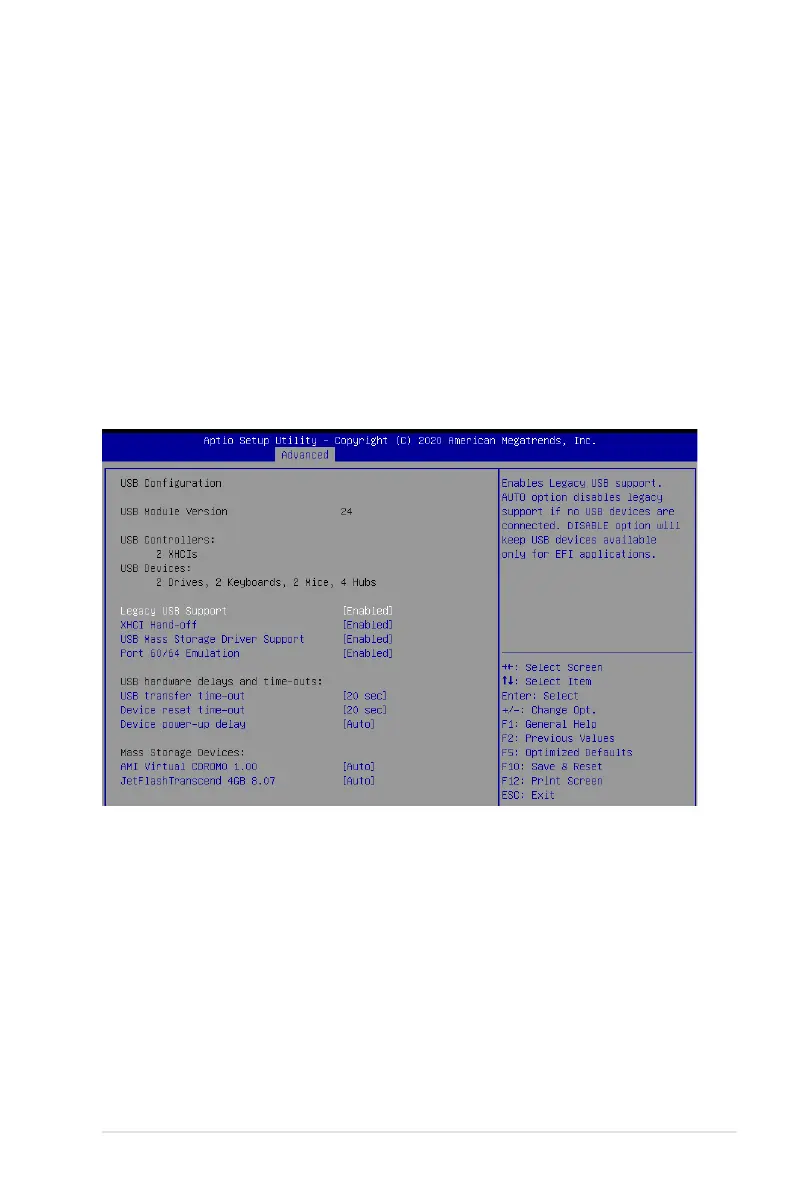
5.5.8 USB Configuration
Legacy USB Support [Enabled]
Allows you to enable or disable Legacy USB device support.
Configuration options: [Enabled] [Disabled] [Auto]
XHCI Hand-off [Enabled]
Allows you to enable or disable workaround for OSes without XHCI hand-off support. The
XHCI ownership change should be claimed by XHCI driver.
Configuration options: [Enabled] [Disabled]
USB Mass Storage Driver Support [Enabled]
Allows you to enable or disable the USB Mass Storage driver support.
Configuration options: [Disabled] [Enabled]














 To Next Page