2-25
ASUS ESC4000A-E10
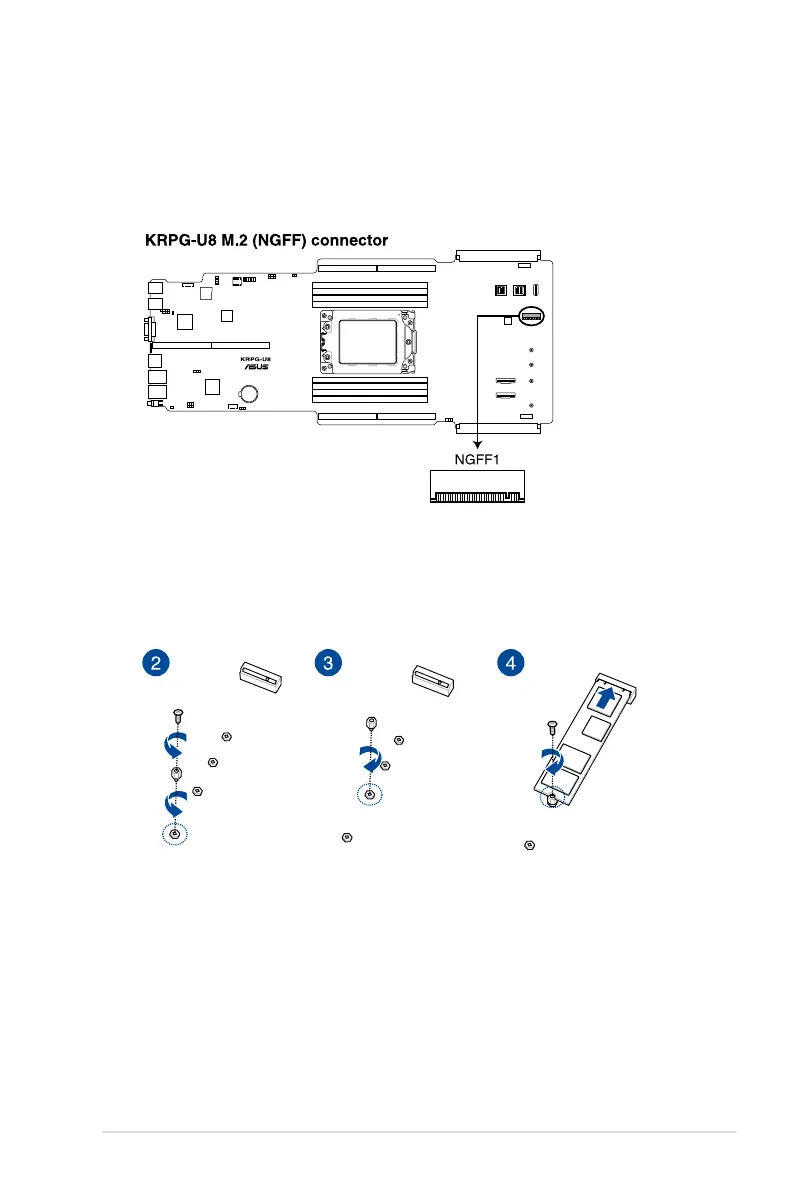
2.5.4 Installing an M.2 (NGFF) card
1. Locate the M.2 connector (NGFF1) on the motherboard.
You may install an M.2 card (supports up to 22110) to the onboard M.2 (NGFF) slot on the
motherboard.
2. Remove the screw on the stand screw.
3. Prepare the M.2 card, then align and insert the M.2 card into the M.2 connector (NGFF1).
4. Secure the M.2 card with the screw you removed in step 2.














 To Next Page