Chapter 2: Hardware Setup
2-16
2.5.2 Installing an ASUS PIKE II card
You may install an ASUS PIKE II card to the internal SAS/HBA/Storage bracket located in the
front of the system.
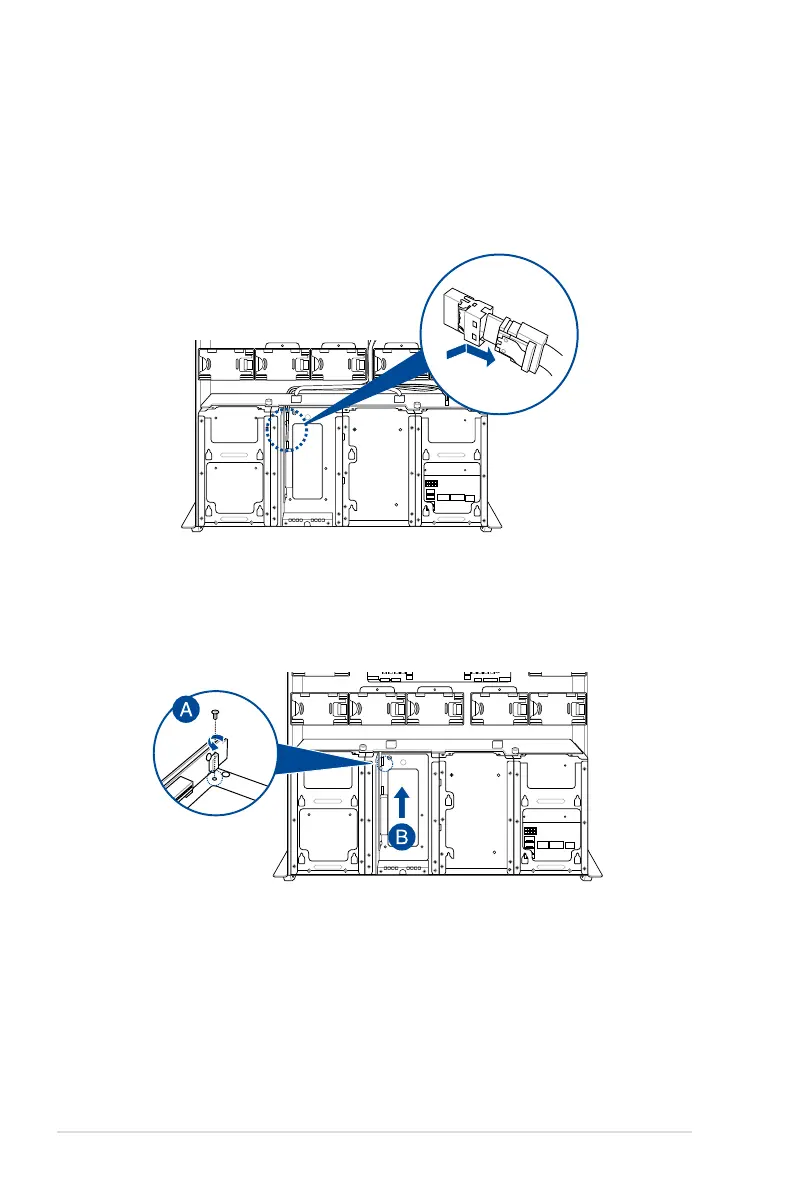
1. Remove the two (2) default slimline SAS cables from the internal SAS/HBA/Storage
bracket.
2. Remove the screw from the bracket (A), then push the internal SAS/HBA/Storage
bracket towards the rear to remove the internal SAS/HBA/Storage bracket (B).














 To Next Page