Chapter 2: Hardware Setup
2-2
2.1 Chassis cover
There are three parts of the chassis cover you may remove.
The diagrams in this section are for reference only. The system layout may vary with
models, but the installation steps are the same for all models.
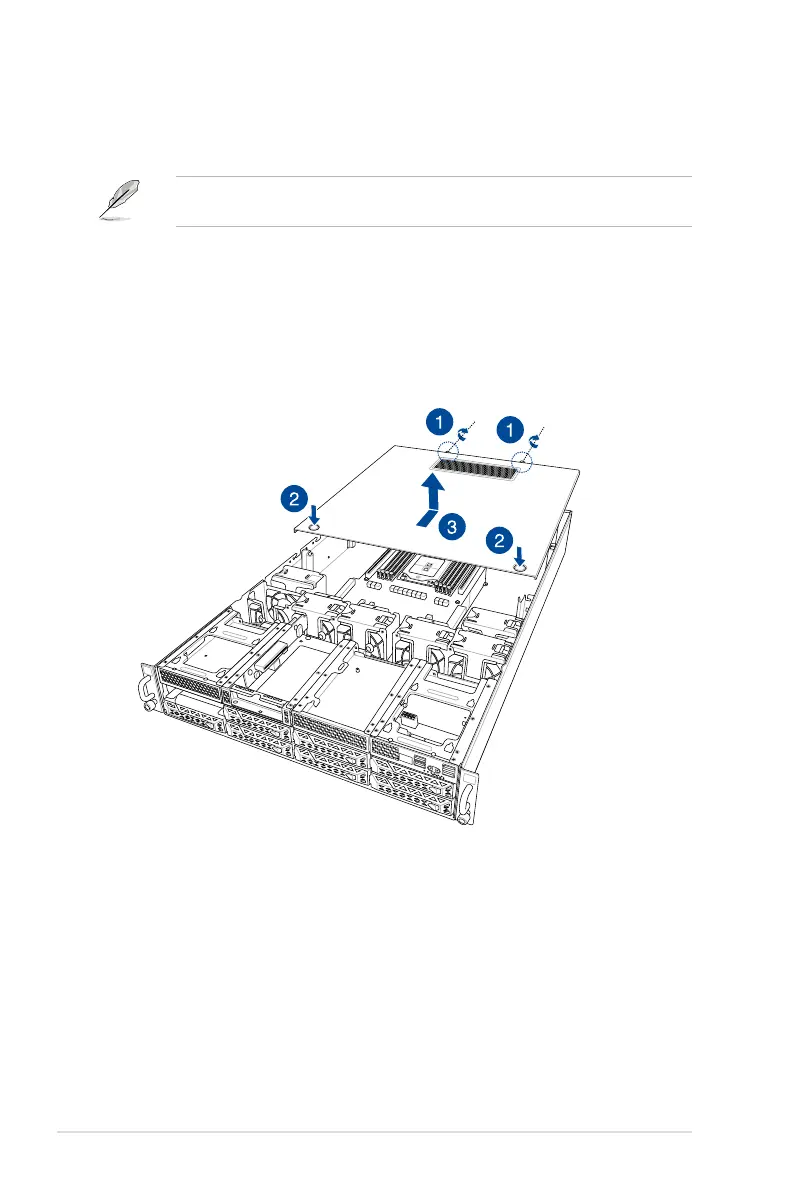
To remove the rear chassis cover:
1. Release the two (2) thumbscrews on the rear of the chassis.
2. Push and hold the cover buttons down, then slide the chassis cover towards the rear to
disengage it from the chassis.
3. Lift the chassis cover to completely remove it from the chassis.
1
2














 To Next Page