2-3
ASUS ESC4000A-E10
1
2
A protection film is pre-attached to the system cover before shipping. Please remove the
protection film before turning on the system for proper heat dissipation.
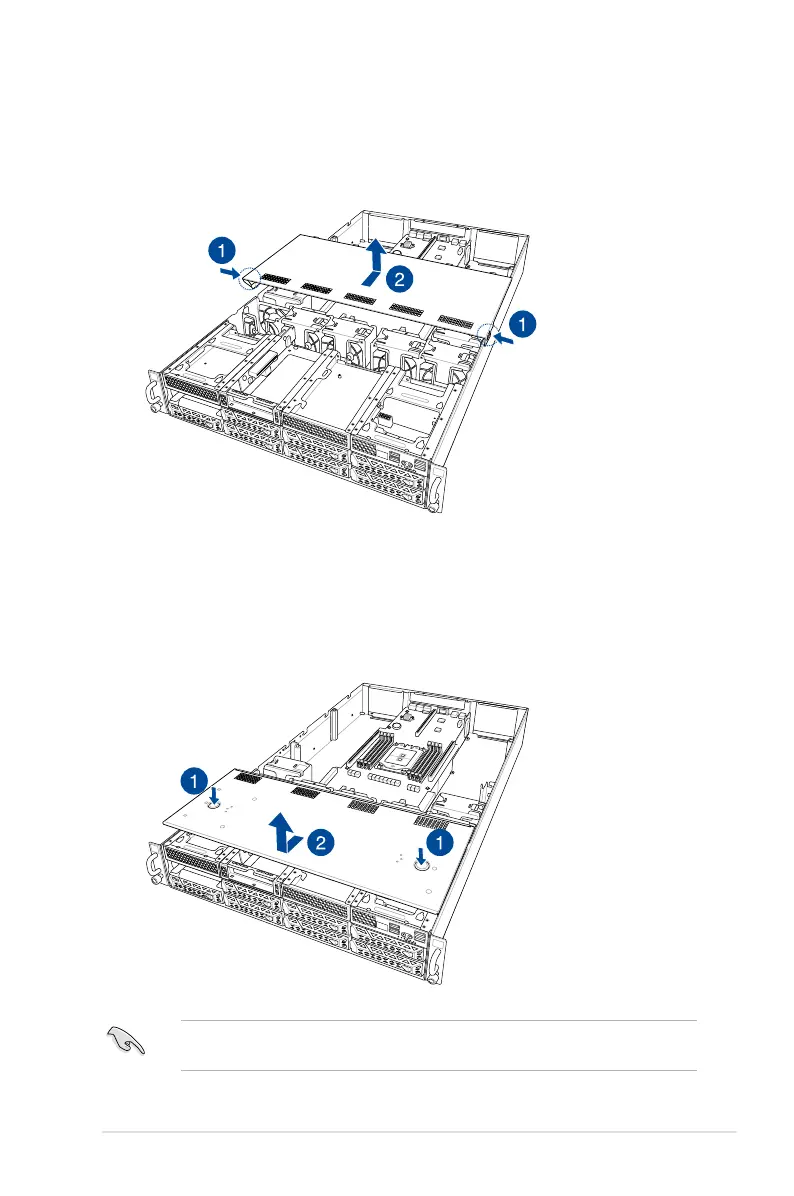
To remove the middle chassis cover:
1. Press the cover latches down on both sides of the middle chassis cover.
2. Lift the chassis cover to completely remove it from the chassis.
To remove the front chassis cover:
1. Push and hold the cover buttons down, then slide the chassis cover towards the front
to disengage it from the chassis.
2. Lift the chassis cover to completely remove it from the chassis.
1
2














 To Next Page