Chapter 2: Hardware Setup
2-30
2.8.2 System fans
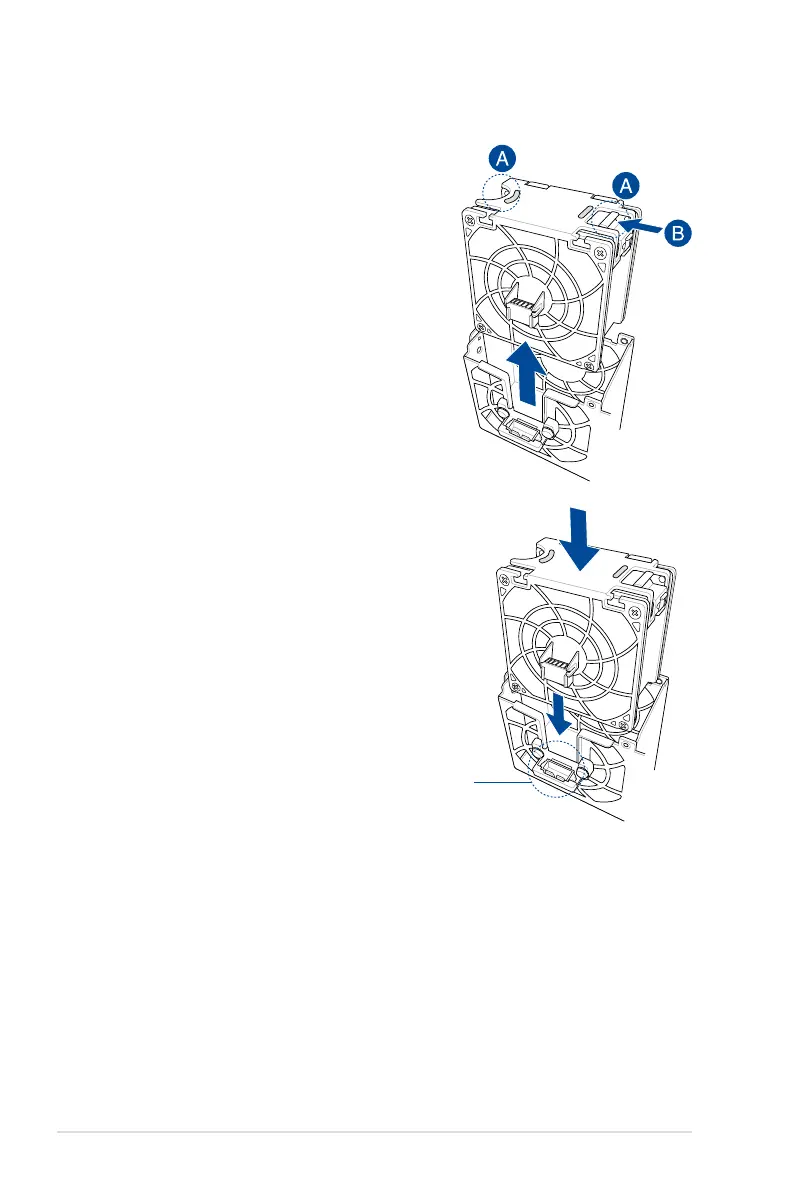
To uninstall the system fans:
1. Hold the system fan by the notches (A),
then press the latch inwards (B) to release
the system fan from the fan cage.
2. Lift the fan then set it aside.
3. Repeat steps 1 to 2 to uninstall the other
system fans.
To reinstall the system fans:
1. Insert the fan into the fan cage. Ensure the
fan connector is seated firmly within the
cable holder.
cable holder














 To Next Page