2-33
ASUS ESC4000A-E10
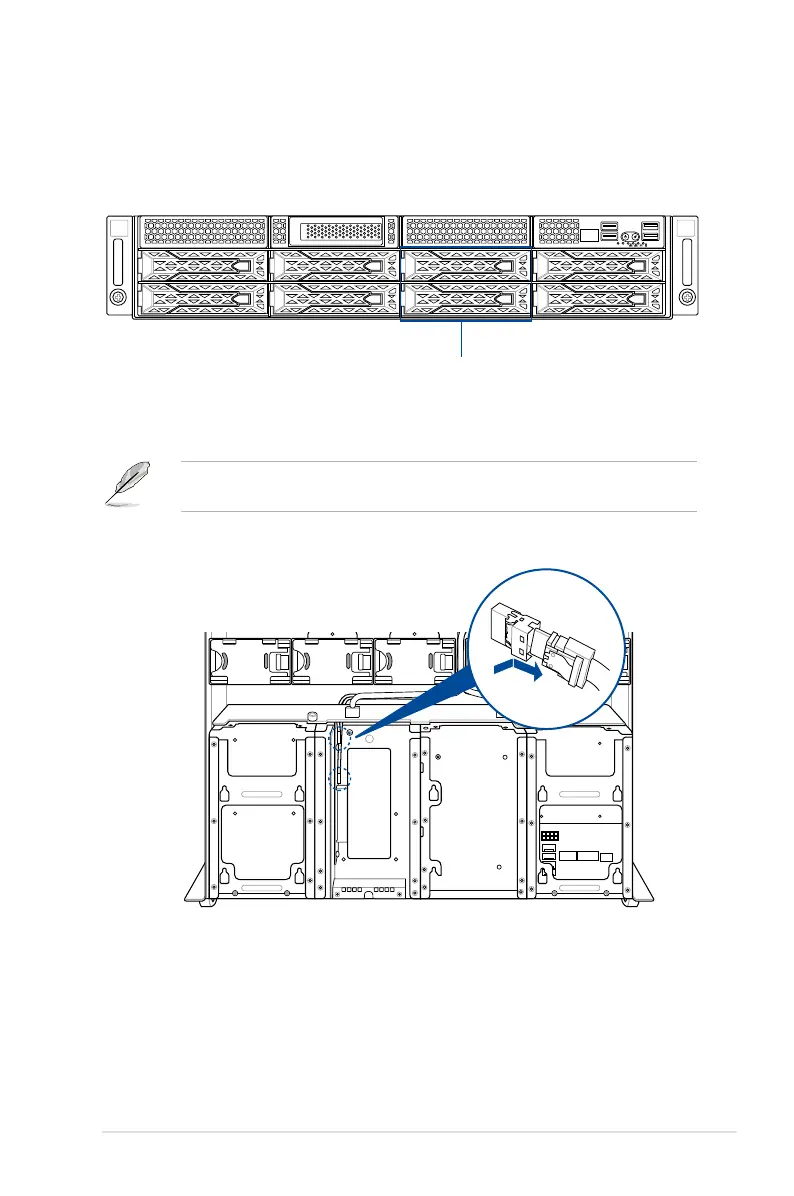
2.8.4 U.2 drives
1
2
Storage device bay 5 and 6
To install a U.2 drive:
1. Install the U.2 drive to storage device bay 5 or 6.
Refer to section
2.4.2 Installing the 2.5-inch SSD
for the steps on installing a 2.5-inch
drive to the HDD bay.
2. Remove the slimline SAS cables from the internal SAS/HBA/Storage bracket.
For the ESC4000A-E10, additional U.2 drives may be installed in storage device bays 5 and
6 as shown in the illustration below:














 To Next Page