2-17
ASUS ESC4000A-E10
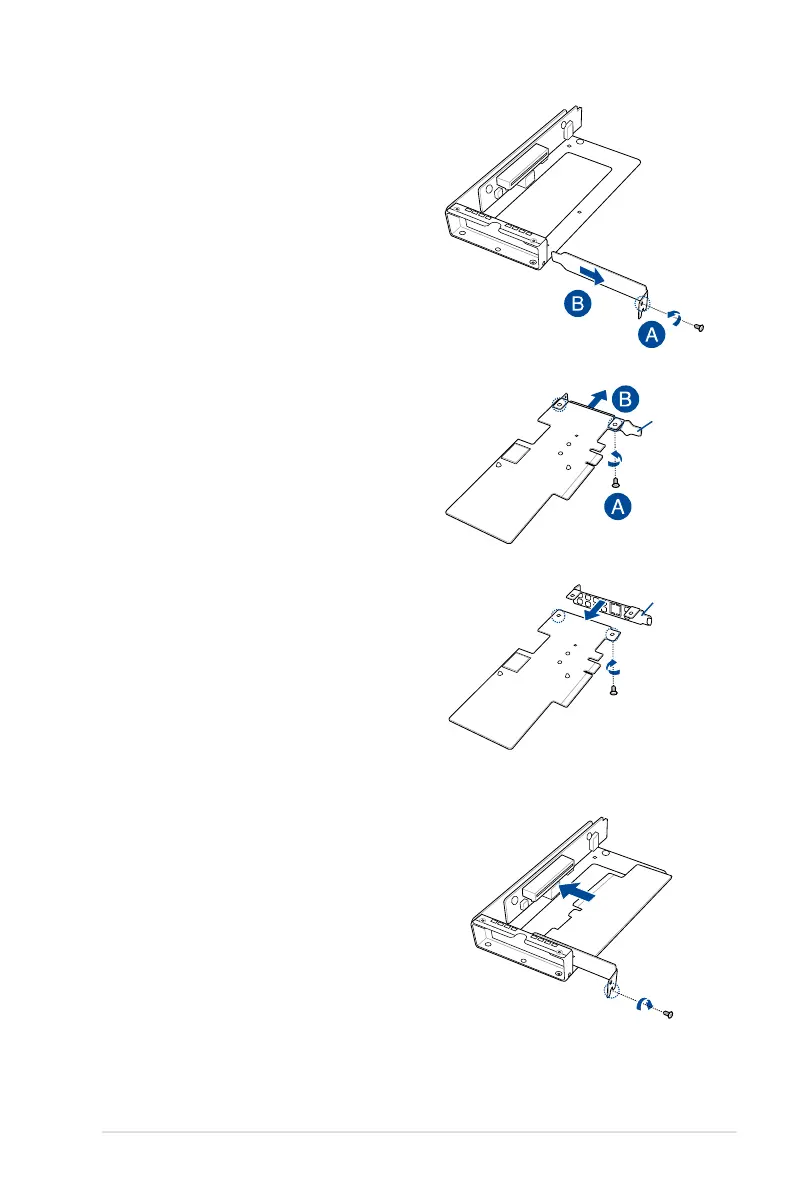
3. Remove the screw from the metal bracket
(A), then remove the metal bracket.
4. Prepare the ASUS PIKE II card.
5. Remove the two screws on the ASUS PIKE II
card (A), then remove the card bracket (B).
Card bracket
Metal cover
6. Secure the ASUS PIKE II card and the metal
cover (internal SAS/HBA/Storage bracket)
with the two screws.
7. Insert the ASUS PIKE II card into the internal
SAS/HBA/Storage bracket, then secure it
with a screw.














 To Next Page