Chapter 2: Hardware Setup
2-18
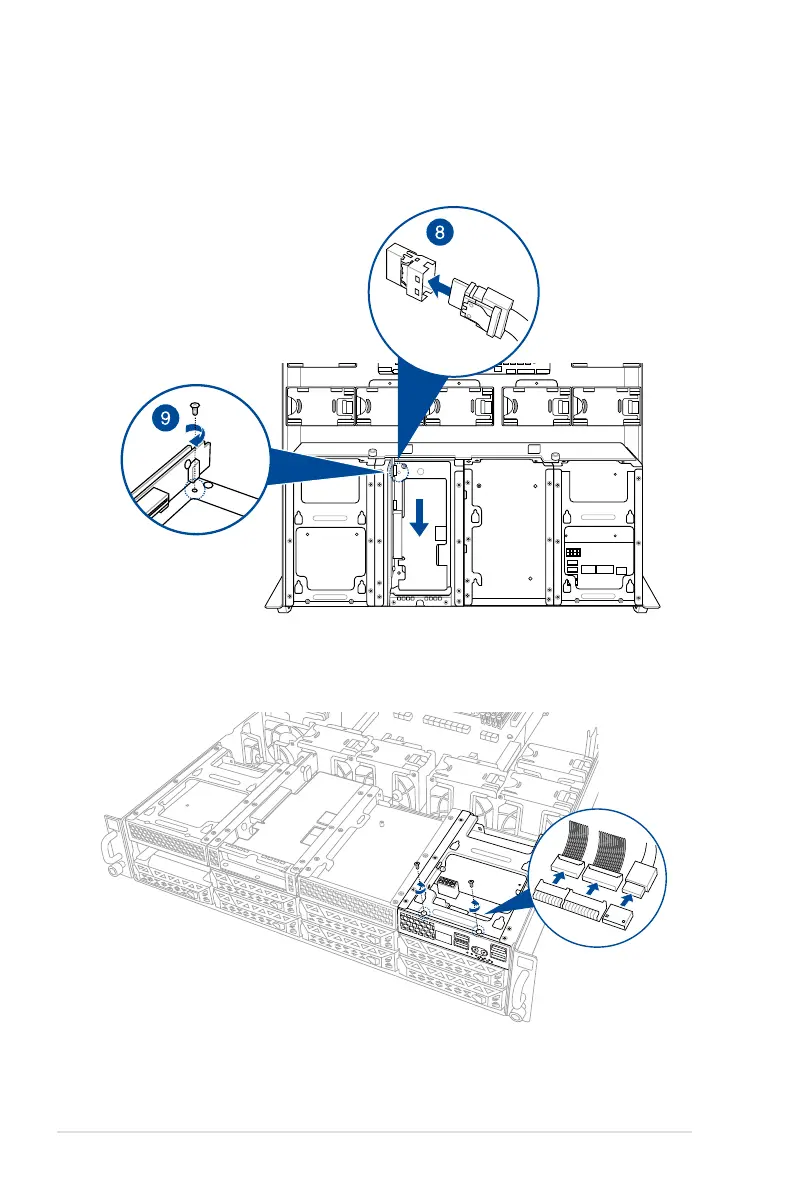
8. Connect the two (2) slimline SAS cables from the internal SAS/HBA/Storage bracket
previously earlier.
9. Install the internal SAS/HBA/Storage bracket and secure it with the screw removed
earlier.
10. Remove the three (3) cables on the Cache Vault Power Module clip holder (A), then
release the two (2) screws on the Cache Vault Power Module clip holder (B).
1
2














 To Next Page