Chapter 2: Hardware Setup
2-8
11. Reinstall the air duct. For more information, see the section
Air Duct
.
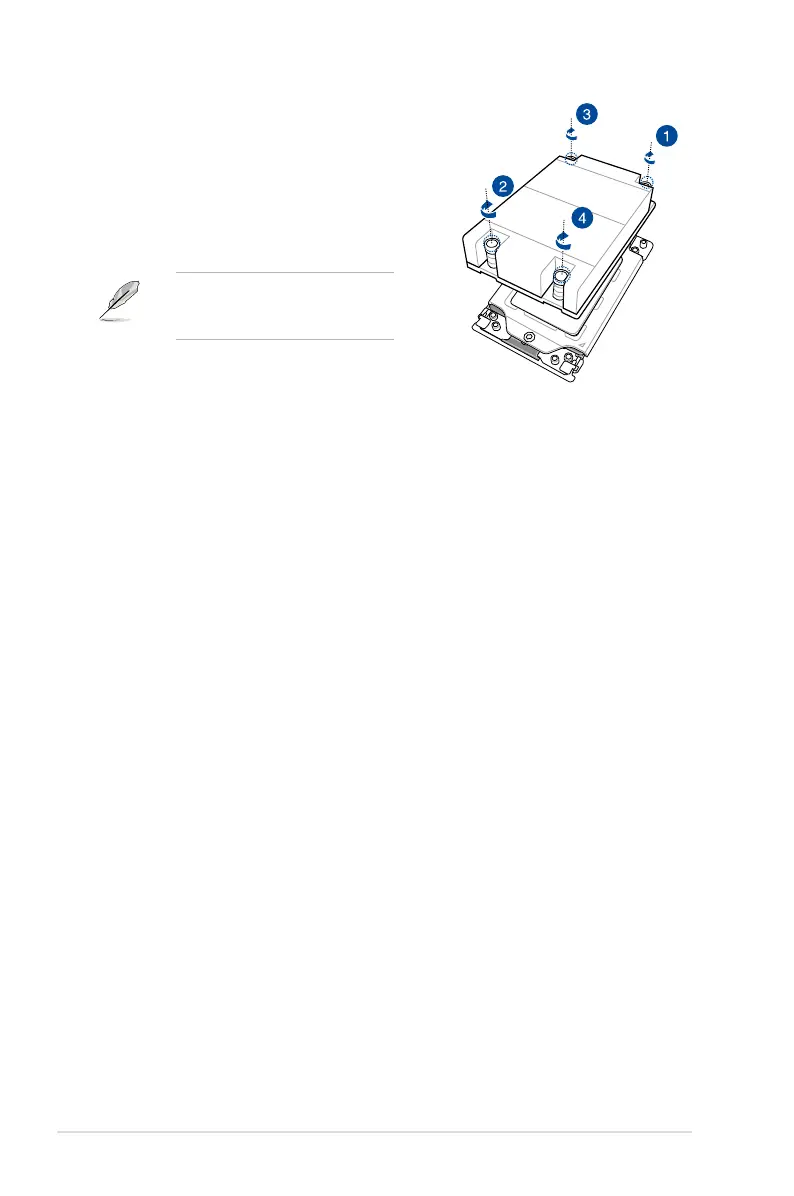
10. Twist each of the four screws with a
screwdriver in the order shown in the
illustration just enough to attach the
heatsink to the motherboard. When the
four screws are attached, tighten them
one by one in a the same diagonal
sequence to completely secure the
heatsink.
The heatsink screws are T20 models.
A torque value of 14+/-1.0 inch-lbf is
recommended.














 To Next Page