Chapter 2: Hardware Information
2-18
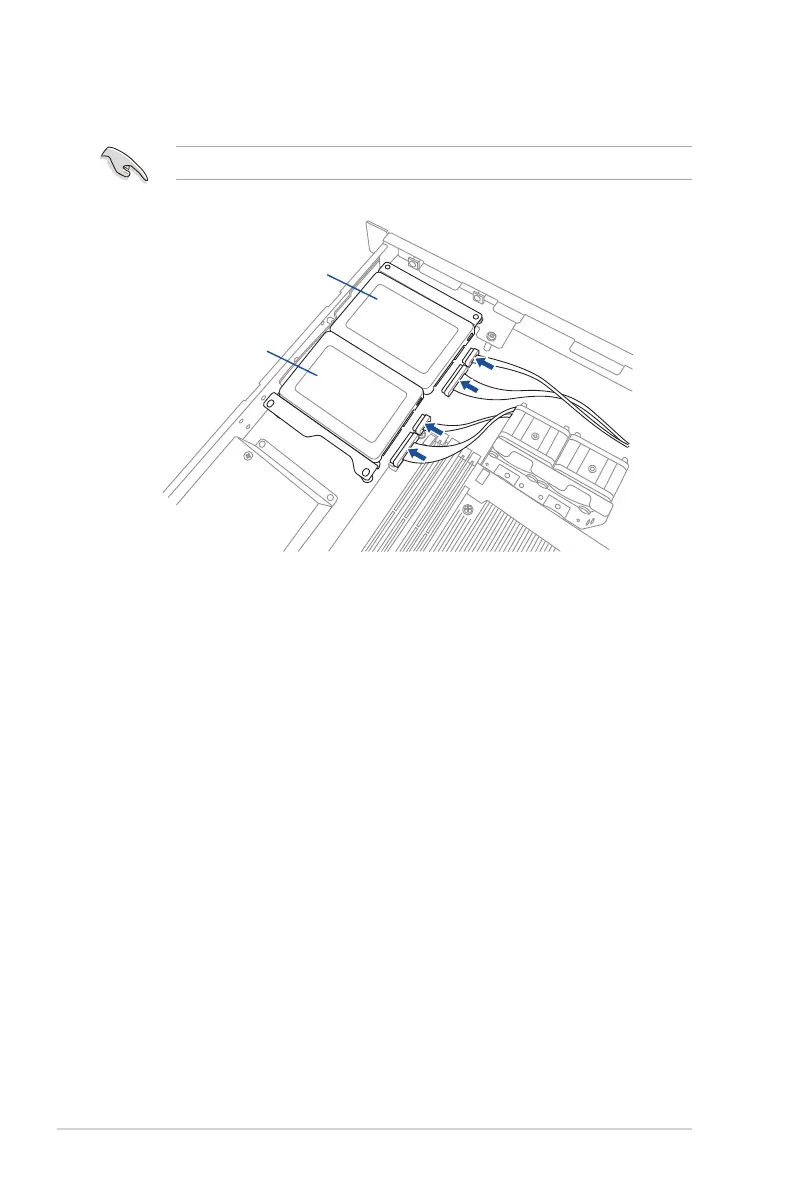
10. ConnecttheSATAsignalcableandpowercabletothe2.5-inchSSDasshown.
UsetheSATApowercablethatcomeswiththeSSDdrivetrayasanadd-onaccessory.
11. ConnecttheotherendoftheSATAsignalcabletotheSATAconnectoronthe
motherboard.
12. Connectthe4-pinpowerconnectorofthepowercabletothe4-pinpowerconnector
from the power supply.
Ensurethatnocablesorconnectorsareout-of-place.
SSD 1
SSD 2




 To Next Page