Chapter 2: Hardware Information
2-32
2.7.2 Expansion card Fan Duct
InstallanexpansioncardtothemotherboardbeforesettinguptheexpansioncardFanDuct.
Refertosection
2.5.1 Installing an expansion card
for more information.
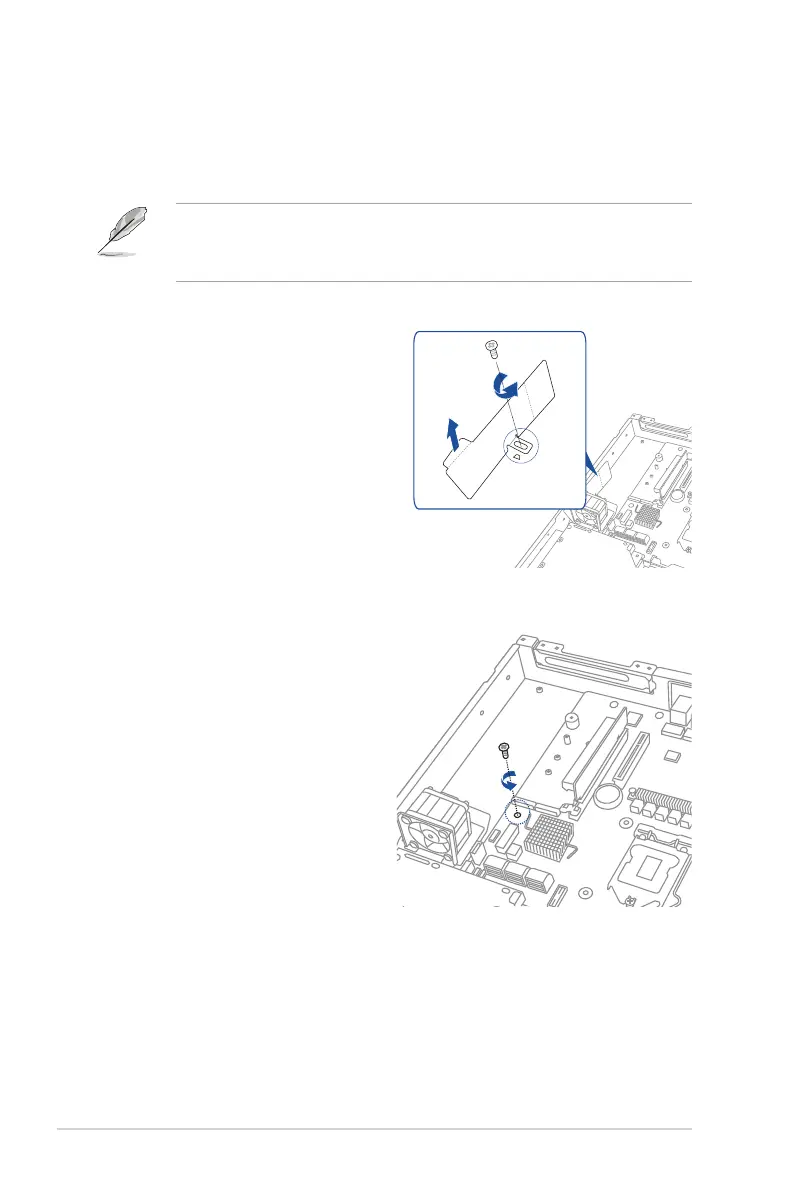
2. Releasethescrewandsetaside.
ToinstalltheexpansioncardFanDuct:
1. ReleasethescrewandremoveFan
Mylar.
• TheexpansioncardFanDuctisdesignedforcertainASUSexpansioncard.
• Youmayneedtoreplacethedefaultbracketwiththebundledbracketthatcomeswith
theexpansioncard.




 To Next Page