Chapter 2: Hardware Information
2-16
2.4.2 Installing 2.5-inch SSDs on HDD bay 1 (Optional)
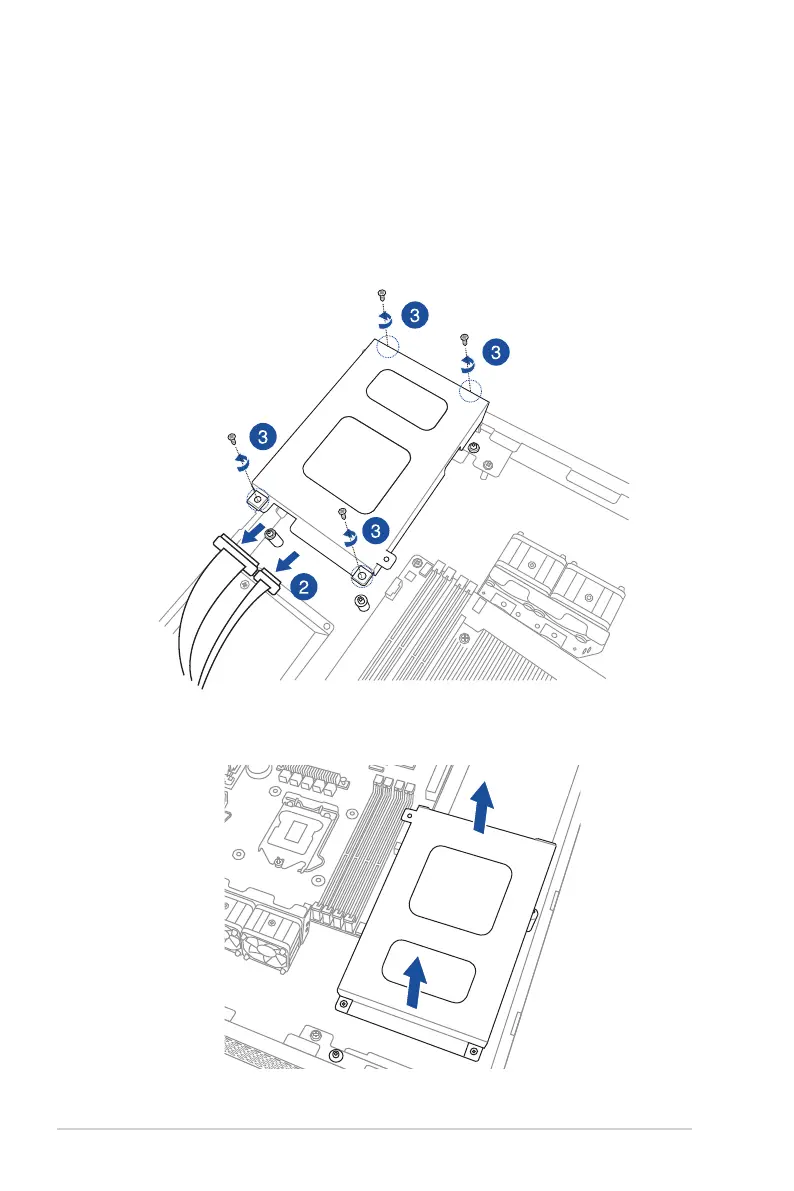
Toreplaceaninstalled3.5-inchSerialATAHDDwithtwo2.5-inchSSDsinHDDbay1:
1. Locatethe3.5-inchSerialATAHDDandtheHDDdrivetrayassemblyinthechassis.
2. DisconnecttheSATAcableandpowercablefromthe3.5-inchSATAHDD.
3. ReleasethefourscrewsthatsecuretheHDDdrivetrayand3.5-inchSATAHDD
assemblytoHDDbay1andsetaside.
4. RemovetheHDDdrivetrayandsetaside.




 To Next Page