2-23
ASUS RS100-E9-PI2
HDD bay 2
2.4.4 Installing 2.5-inch SSDs on HDD bay 2 (Optional)
Toinstalltwo2.5-inchSSDsinHDDbay2:
1. IfyouhaveanOpticalDiscDrive(ODD)installed,removeitrstbeforeinstallingthe
2.5-inchSSDstoHDDbay2.
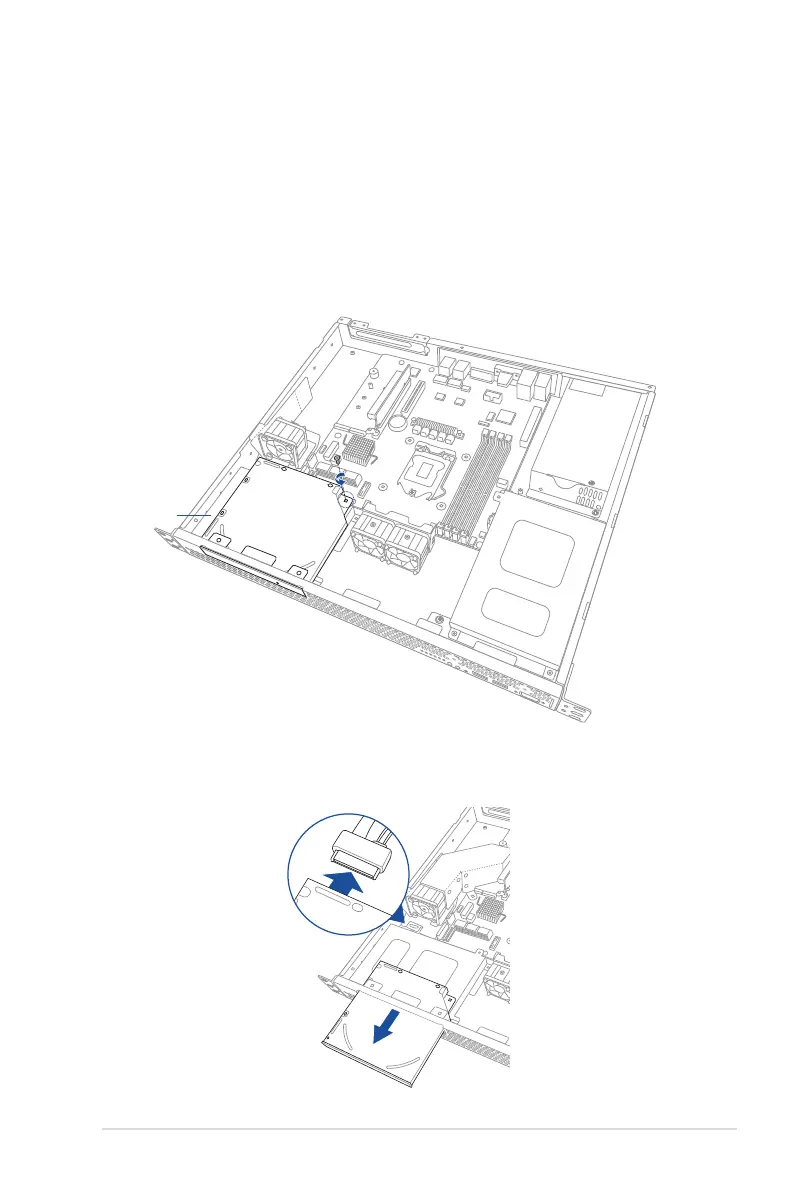
To remove the ODD:
1.a Locate the ODD in the server chassis.
1.b ReleasethescrewthatsecurestheODDtothechassisandsetaside.
1.c PushtheODDoutwardslightlytodisconnecttheSATAandpowercablefromthe
ODD. Then, remove the ODD as shown.














 To Next Page