ASUS RS100-E9-PI2
4-7
4.3 Onboard LEDs
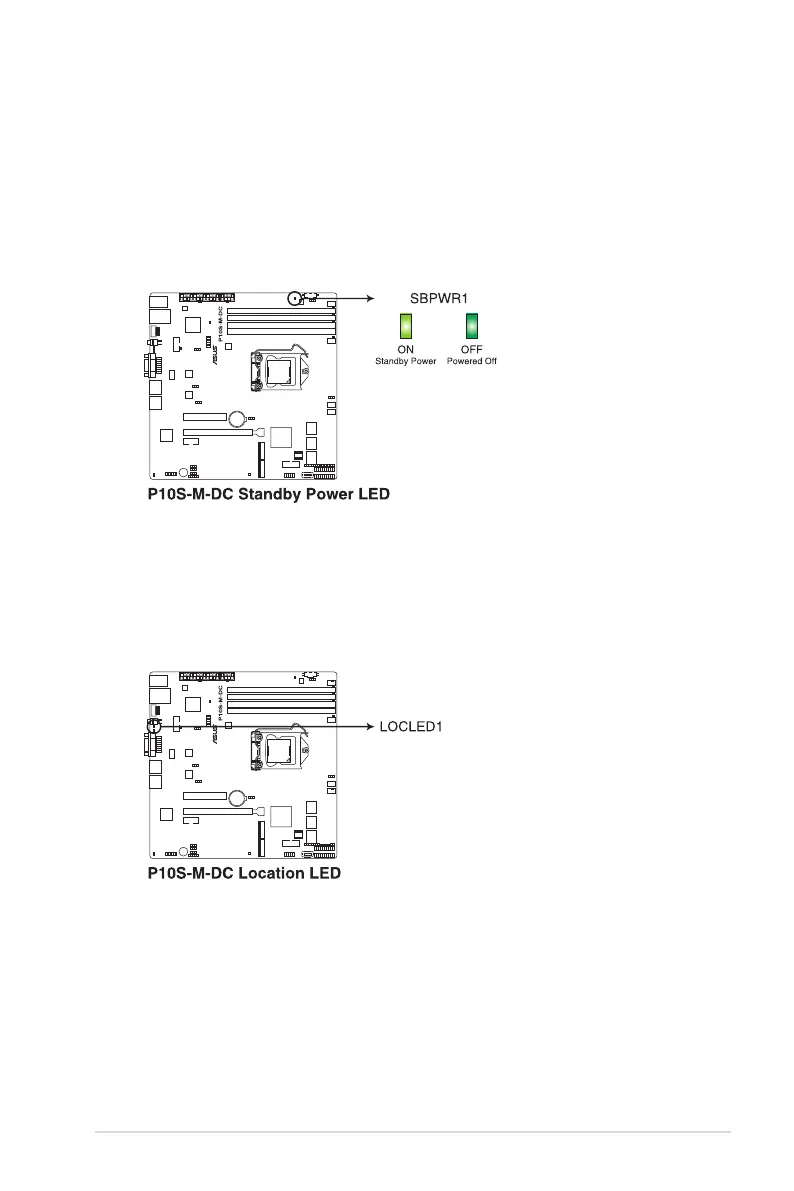
1. Standby Power LED (SBPWR1)
ThemotherboardcomeswithastandbypowerLED.ThegreenLEDlightsupto
indicatethatthesystemisON,insleepmode,orinsoft-offmode.Thisisareminder
thatyoushouldshutdownthesystemandunplugthepowercablebeforeremovingor
plugging in any motherboard component. The illustration below shows the location of
theonboardLED.
2. Location LED (LOCLED1)
TheLocationLEDisanonboardLEDthatlightsupwhentheLocationButtononthe
frontpanelispressed.ThisLEDhelpsyouvisuallylocatetheserveramongother
serversespeciallywhenyouarelocatedatthebackoftheserverrack.














 To Next Page