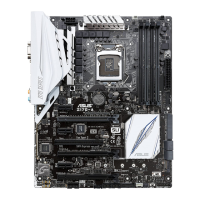
ASUS Z10PH-D16
2-25
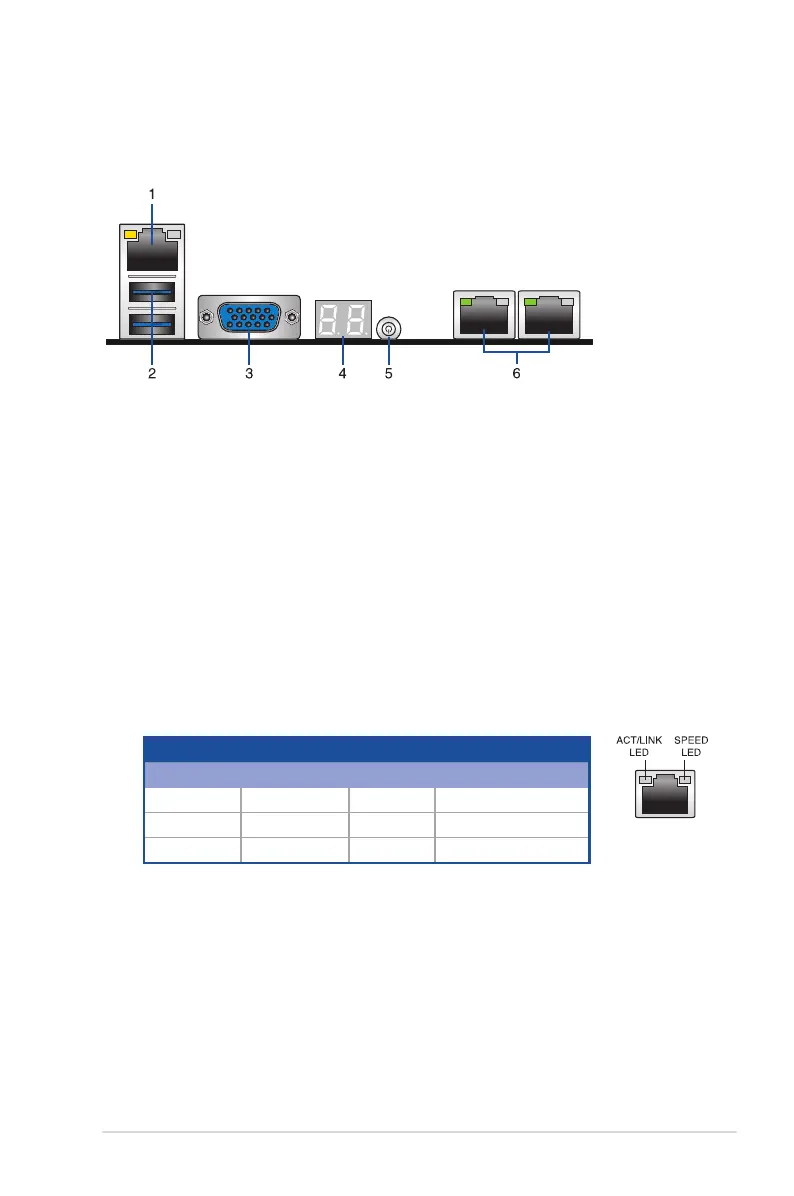
1. RJ-45 port for iKVM.ThisRJ45portfunctiosonlywhenyouenableASMB8controller.
2. USB 3.0 ports 1 and 2.Thesetwo4-pinUniversalSerialBus(USB)portsareavailable
forconnectingUSB3.0devices.
3.
Video Graphics Adapter port.
ThisportisforaVGAmonitororotherVGA-compatible
devices.
4. Q-Code/Port 80 LED.
TheQ-CodeLEDprovidesa2-digitdisplaythatshows
the status of your system. Refer to the
Q-Code table
of this user guide for more
information about the 2-digit codes.
5. Power LED/button.
Pressthisbuttontoturnthesystemon/off.
6.
LAN (RJ-45) ports 1 and 2
.TheseportsallowGigabitconnectiontoaLocalArea
Network(LAN)throughanetworkhub.Refertothe
LAN port LED indications table
for more information.
2.7 Connectors
2.7.1 Rear panel connectors
LAN port LED indications
Activity/Link LED Speed LED
Status Description Status Description
OFF No link OFF 10Mbpsconnection
GREEN Linked ORANGE 100Mbpsconnection
BLINKING Data activity GREEN 1 Gbps connection


 To Next Page