4-3
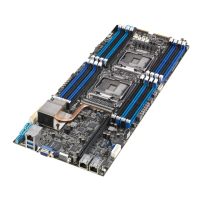
ASUS Z10PH-D16
3. Press <Tab> to switch to the Driveeld.
4. PresstheUp/DownarrowkeystondtheUSBashdiskthatcontainsthelatestBIOS,
then press <Enter>.
5. Press <Tab> to switch to the Folder Infoeld.
6. PresstheUp/DownarrowkeystondtheBIOSle,andthenpress<Enter>toperform
the BIOS update process. Reboot the system when the update process is done.
4.1.2 ASUS EZ Flash Utility
The ASUS EZ Flash Utility feature allows you to update the BIOS without having to use a
DOS-based utility.
Beforeyoustartusingthisutility,downloadthelatestBIOSfromtheASUSwebsiteat
www.asus.com.
To update the BIOS using EZ Flash Utility:
1. InserttheUSBashdiskthatcontainsthelatestBIOSleintotheUSBport.
2. Enter the BIOS setup program. Go to the Tool menu then select ASUS EZ Flash
Utility. Press <Enter>.
ASUS Tek. EzFlash Utility
[Up/Down/Left/Right]:Switch [Enter]:Choose [q]:Exit
FS0
System Volume Information
<DIR>
Windows
<DIR>
Z10PH-D16 BIOS <DIR>
Current Platform
Platform : Z10PH-D16
Version : 0020
Build Date :04/25/2014
New Platform
Platform : Z10PH-D16
Version : 0022
Build Date :05/05/2014


 To Next Page