ATEL V810 Series
V810A and V810AD Data User Manual
V6.9, July 17, 2023
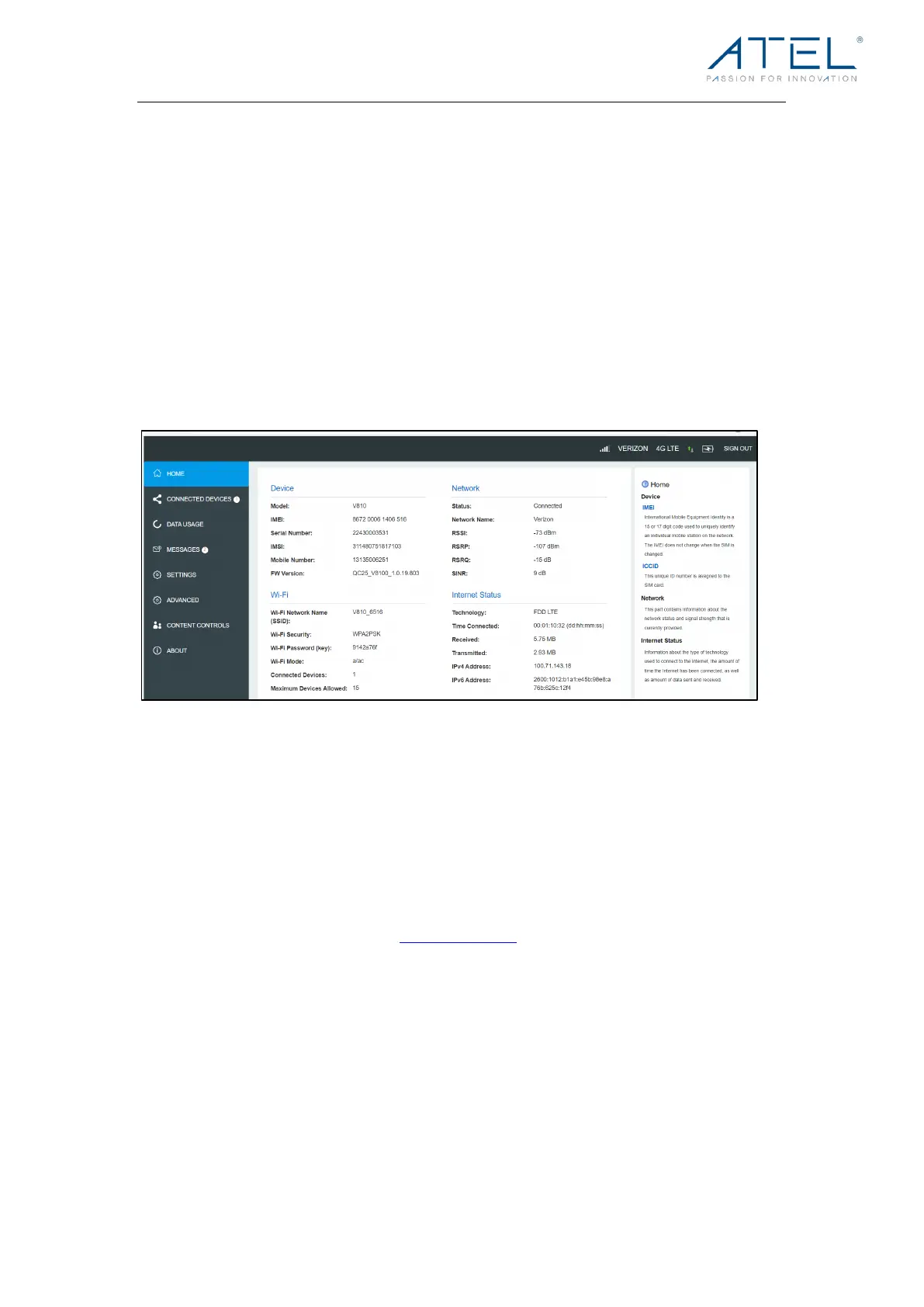
Direct Connect Portal Home Page
After successful login, you will see the Home Page displaying information about your V810,
e.g. device IMEI and network status, along with a list of menu options on the left column.
• HOME
• CONNECTED DEVICES
• DATA USAGE
• MESSAGES
• SETTINGS
• ADVANCED
• CONTENT CONTROLS
• ABOUT
Changing your Direct Connect Portal Password:
Yo u c a n c r e a t e y o u r o w n Direct Connect (WebGUI) Portal password in the Settings page.
Once created, you will be required to use the new password to sign in.
To Change your Direct Connect Portal Password:
1. Connect your device using the instructions for logging into the Direct Connect Portal,
in the beginning of this Section 3.
2. Open a web browser and enter http://192.168.0.1 into the URL address bar.
3. Go to Settings > Device Settings > Admin Password. Input your current admin
password and setup your new password by following the prompts, then save the
changes.



 To Next Page