ATEL V810 Series
V810A and V810AD Data User Manual
V6.9, July 17, 2023
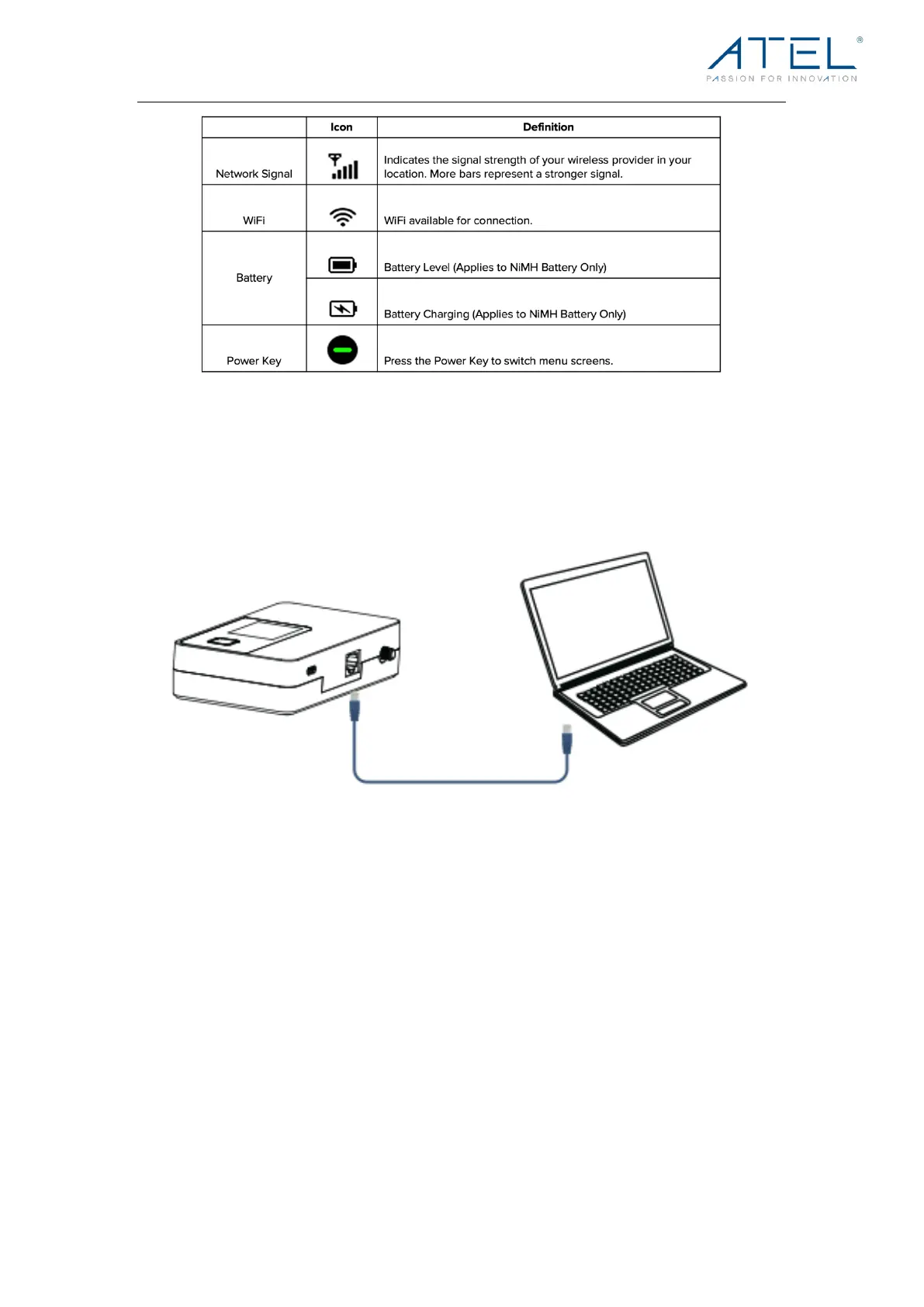
Connect your Computer to the V810A/V810AD
The V810A/V810AD is equipped with 1 Ethernet port (RJ45). For internet access via Ethernet,
plug an ethernet cable to the Ethernet port of your V810A/V810AD and connect it to the
Ethernet port of your computer. Yo u c a n c o n n e ct y o u r P C w i t h t h e V810A/V810AD using Wi-
Fi for a wireless connection.
Connecting to your V810A/V810AD Hotspot Wi-Fi
Yo u r V810A/V810AD Hotspot Wi-Fi function supports up to 15 Wi-Fi connected devices. To
connect to the Hotspot Wi-Fi,
1. Locate your Wi-Fi Network Name (SSID) / Password on your V810A/V810AD LCD
Display or on the device label under the battery holder.
2. Open the Wi-Fi settings of your Wi-Fi capable devices.
3. Select the SSID of your V810A/V810AD from the available Wi-Fi network list.
4. When prompted, enter the password of your V810A/V810AD.
5. Once the connection is established, you are connected to the Internet.



 To Next Page