ATEL V810 Series
V810A and V810AD Data User Manual
V6.9, July 17, 2023
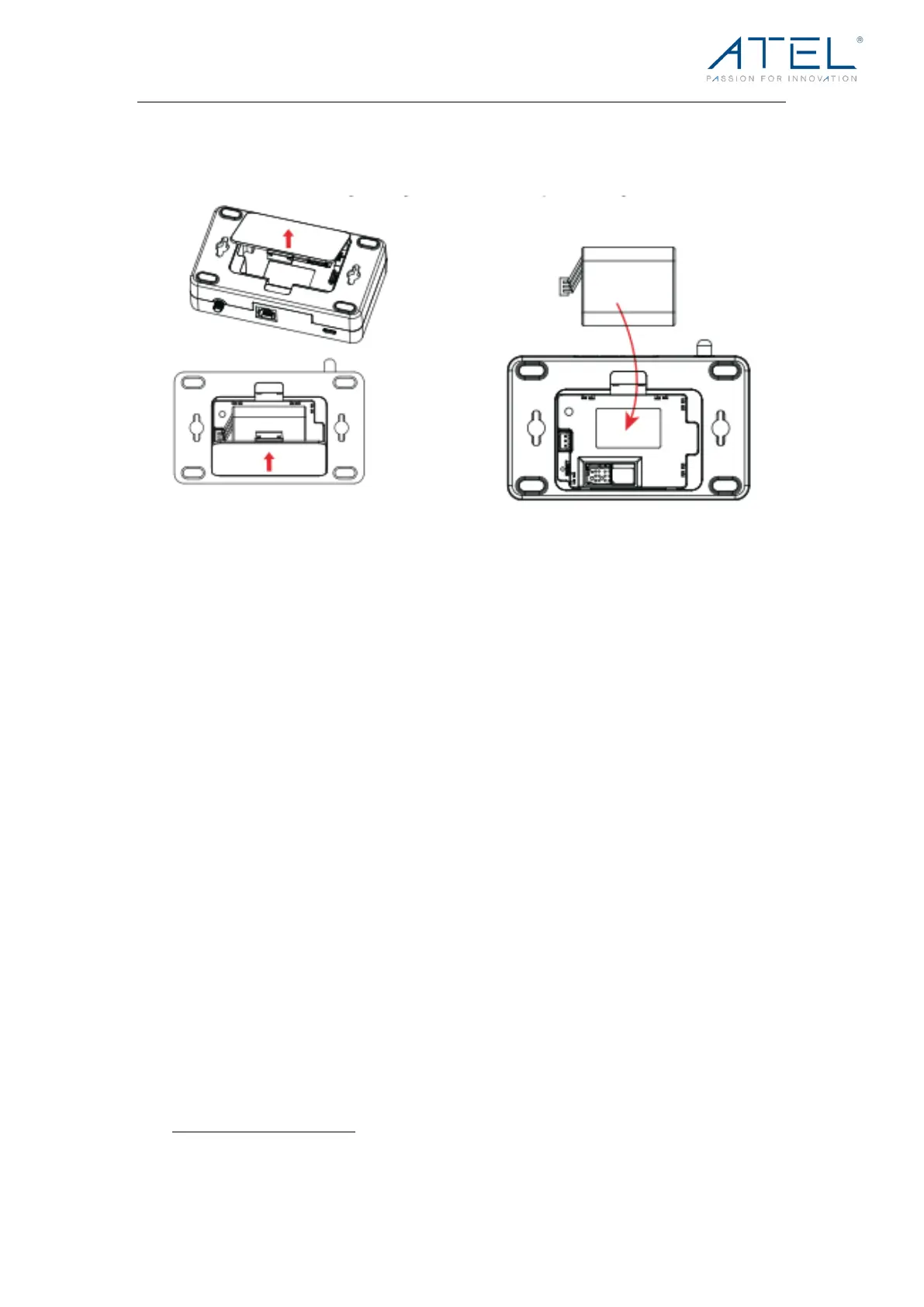
4. Replace the back cover of the V810A/V810AD and make sure it’s
aligned with the bottom of the device.
NOTE: The NiMH battery pack may be sold separately.
Backup Battery Tips
Battery usage and standby time depends on the network, signal strength, temperature,
features, battery age and accessories you use. Generally, usage time on the NiMH battery
pack is approximately (up to) 5 hours and standby time is up to 8 hours.
In battery-only mode, you can check the battery level by pressing the Power Key. The battery
level will be in the upper right corner of the screen.
Do not use sharp objects or excessive force to remove the battery, as this may damage the
V810A/V810AD and/or the batteries and will void any warranties.
Never expose batteries to temperatures below -20°C (4°F) or above 60°C (140°F).
Installing the Optional Antennas (May be Sold Separately)
To i ncr eas e s ign al st ren gth , y ou ca n i nst all an op ti ona l a nte nna .
1. Align the antenna with the antenna port and screw securely into place (in a
clockwise direction).
2. Restart the V810A/V810AD after the antenna is installed or removed.
Using optional accessories (antenna and battery pack) by ATEL is recommended to
achieve optimal performance, more information can be found on ATEL’s website,
https://www.atel-usa.com/.



 To Next Page