ATEL V810 Series
V810A and V810AD Data User Manual
V6.9, July 17, 2023
Device Settings
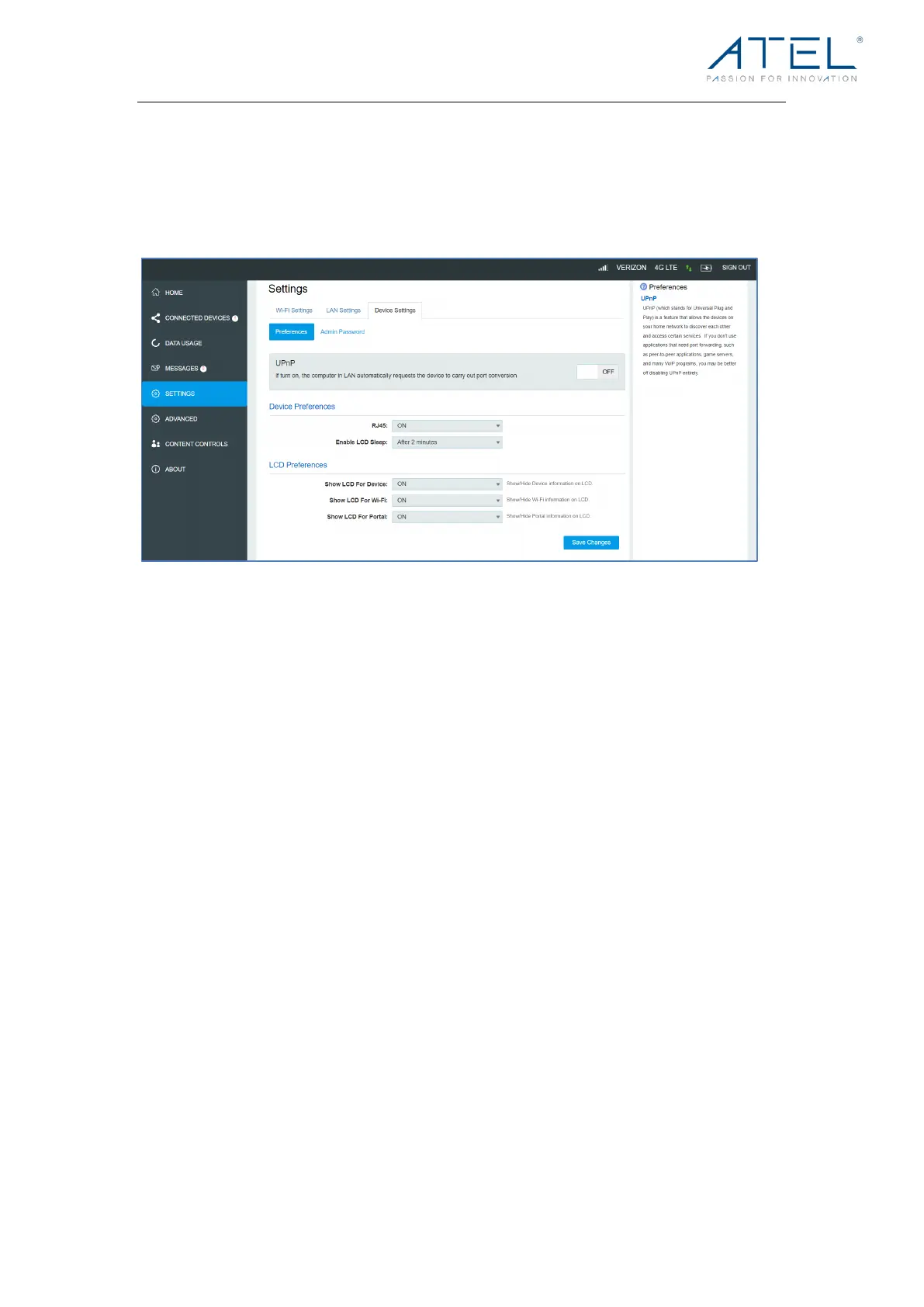
Device Preferences
! UPnP (Universal Plug and Play):
UPnP (which stands for Universal Plug and Play) is a feature that allows the devices on
your home network to discover each other and access certain services. If you don't use
applications that need port forwarding, such as peer-to-peer applications, game servers,
and many VoIP programs, you may be better off disabling UPnP entirely.
! RJ45
Yo u c a n t u r n the Ethernet port on/off using this toggle. By default, it is on.
! Enable LCD Sleep
Set the automatic sleep time of the LCD Display. The default is “After 30 seconds”, you
can set it to 15 seconds, 2 minutes, or never turn off the Display.
! Show LCD For Device
You can turn the device information page (including IMEI, SW and HW information) on/off
on the LCD Display using this toggle. By default, it is on.
! Show LCD For Wi-Fi
You can turn the device Wi-Fi information on/off on the LCD Display using this toggle. By
default, it is on.
! Show LCD For Portal
You can turn the Direct Connect portal access information on/off on the LCD Display
using this toggle. By default, it is on.



 To Next Page